NOVARA

Free forever · No subscription · macOS · Windows

Make video games with a team of AI agents.

Describe your game in one sentence. A coordinator splits it into tasks, agents write the code, draw the sprites and compose the music — and you approve every asset before it goes in.

Works with Claude Code, Codex and Gemini (Antigravity) · builds for Web 2D, Web 3D, Roblox Studio and Unity

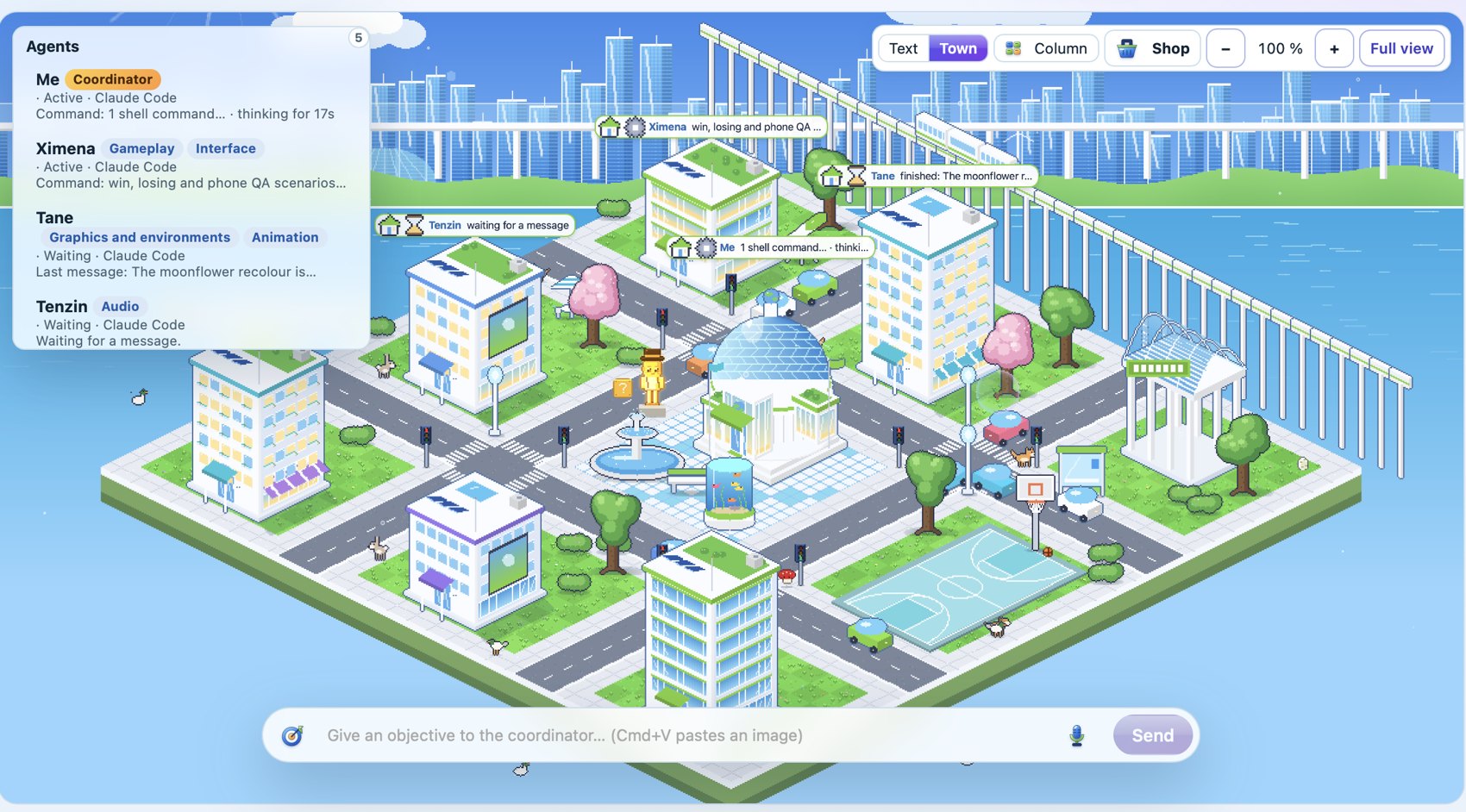
NOVARA: five agents and their roles, working on a game in a little isometric town

New in 0.1.7

Blender boosted: your agents make better models, for fewer tokens

17 Blender extensions, installed for you

NOVARA installs Blender with free extensions and MakeHuman character packs (CC0). Your agents use them in one line instead of modelling everything by hand: fewer tokens, better models.

  • Dressed human characters, with a skeleton for animations and face sliders for a character creator
  • Trees of 9 species, rocks, rolling terrains, ivy, scattered grass
  • Doors, windows, stairs, shelves
  • 2D games: sprites and isometric views rendered from 3D
  • Mixamo animations filed into your project by themselves
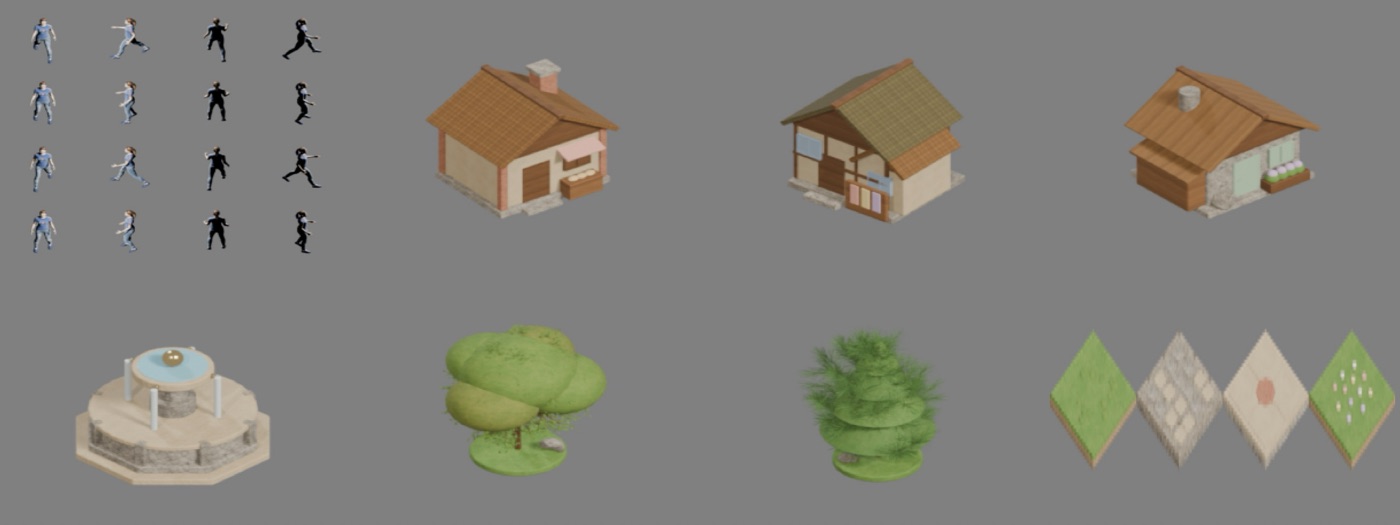
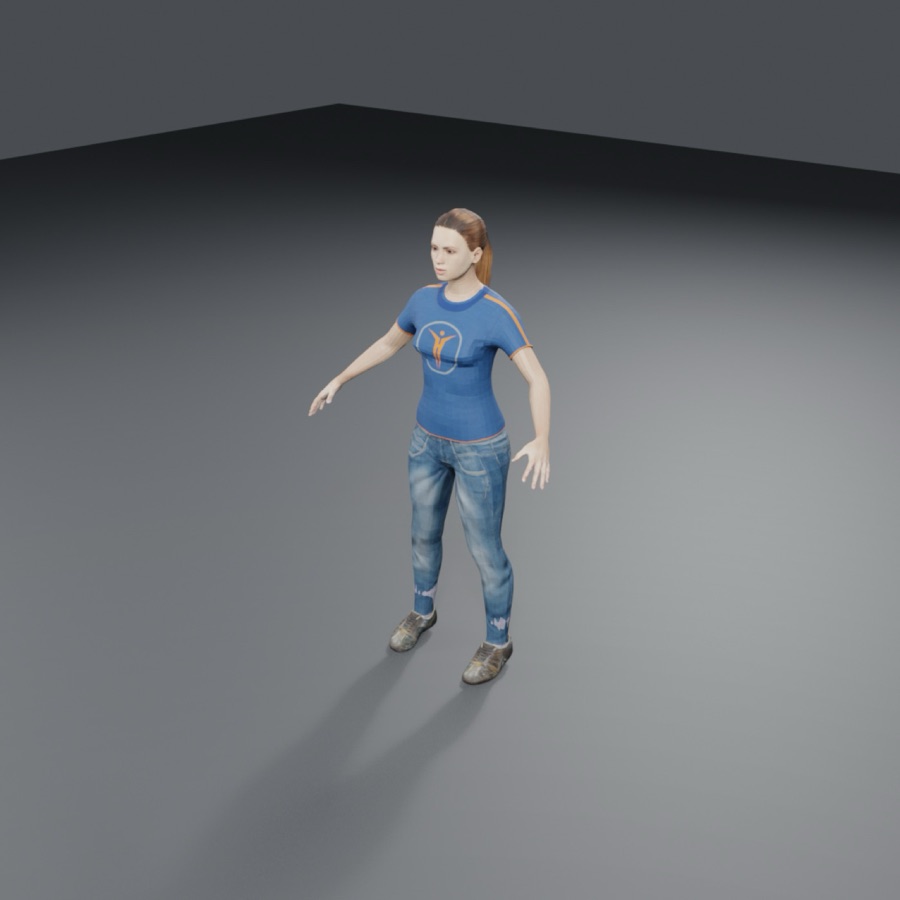
Houses, fountain, trees and villager of an isometric village, made in Blender by a Gemini teamA walker made in one line with MakeHuman

A team that talks to you, and a lighter app

The coordinator tells you every step in the chat. Agents can show you a prototype ("here is where we are") to get your opinion, without an approval. Gemini works without asking permission for every file.

  • Test reports 30 times shorter for the agents
  • NOVARA close to 0 % CPU when you are not looking at it
  • Unity: agents also check the scene in the editor, with 12 official tools (levels, cameras, NPC paths, cutscenes…)
  • New: send a photo from your phone to the coordinator (a sketch, an idea, a bug)
The coordinator tells every step in the chat

New in 0.1.5

Ultra saving mode, chat and animation studio

Ultra saving mode

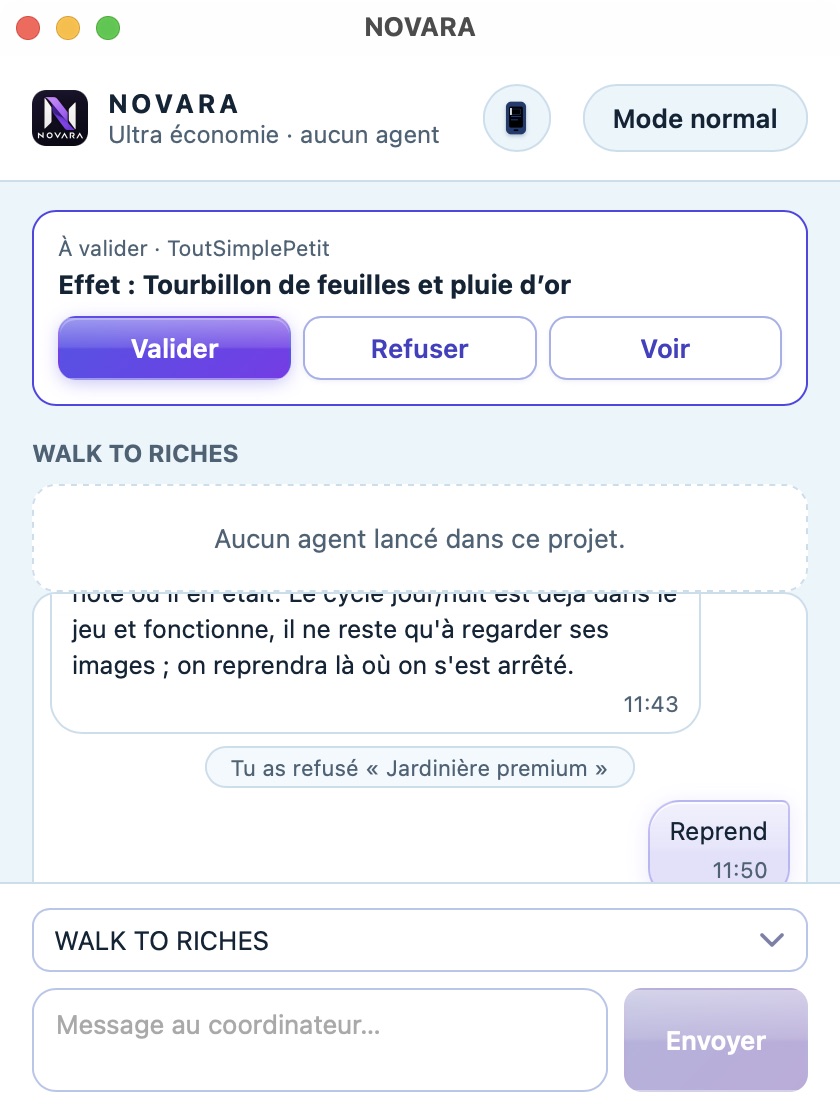
One click on Ultra eco and NOVARA shrinks to a small window: the town, the animations and the blur stop, and your agents keep working behind. On our Mac the processor use dropped by about 75 %. You still see who works on what, you answer approvals and questions, and you talk to the coordinator.

  • Control it from your phone: turn it on or off from the ⚡ button
  • Choose where approvals arrive: phone, both, or computer
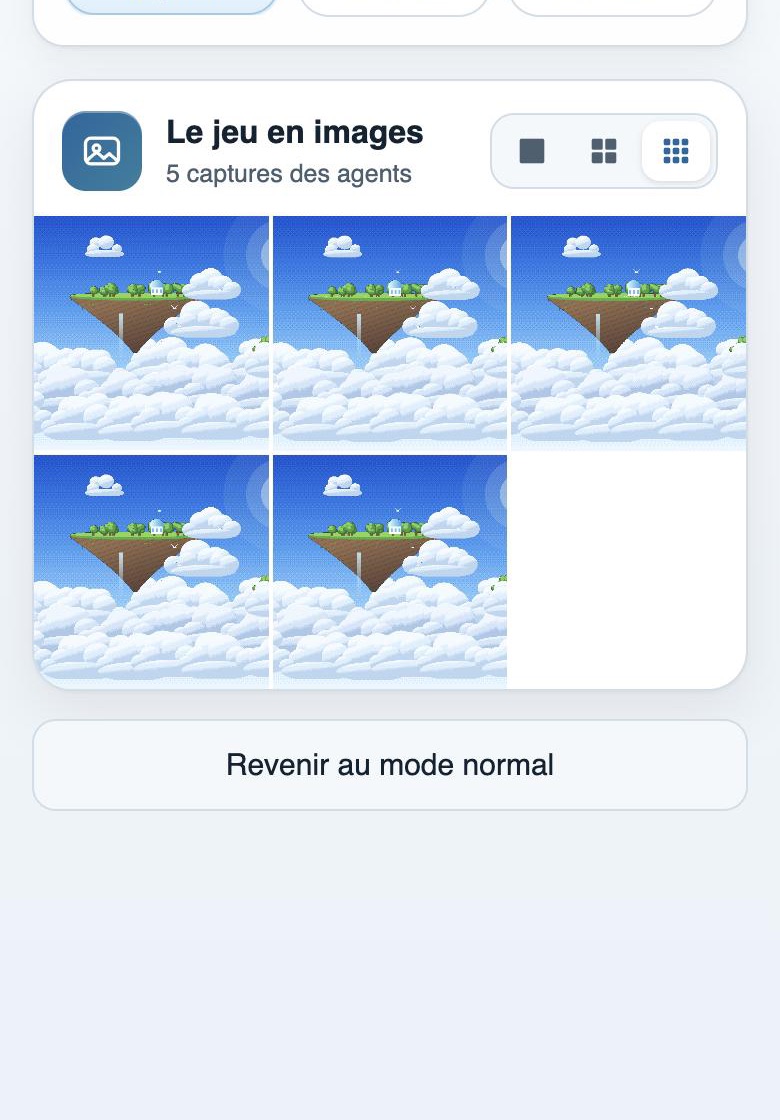
  • On the phone, a Game tab with the agents' captures, in a 1, 2 or 3 column grid
  • NOVARA always restarts in normal mode
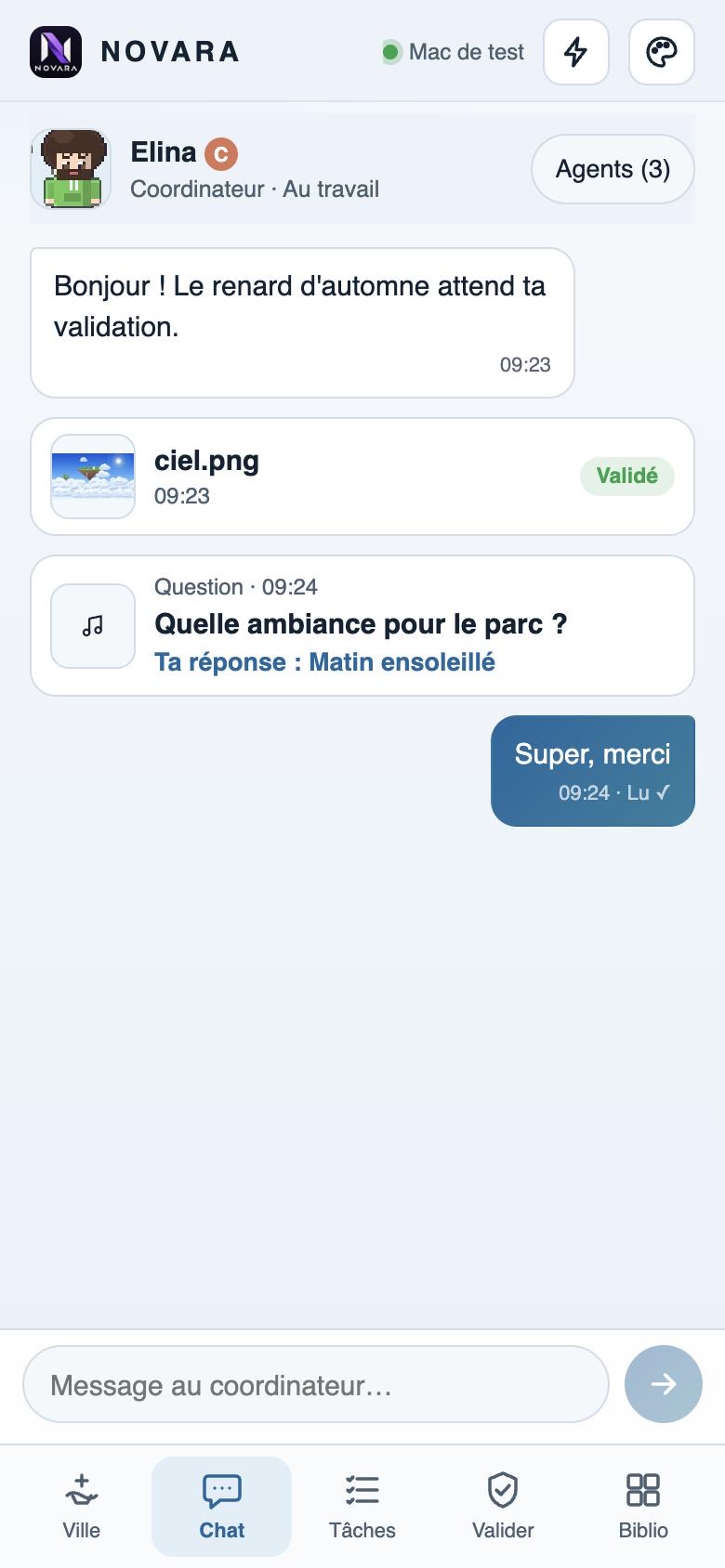
The small ultra saving window: an approval and the coordinator's conversationUltra mode on the phone: where approvals arrive and the game in pictures

Chat with your team

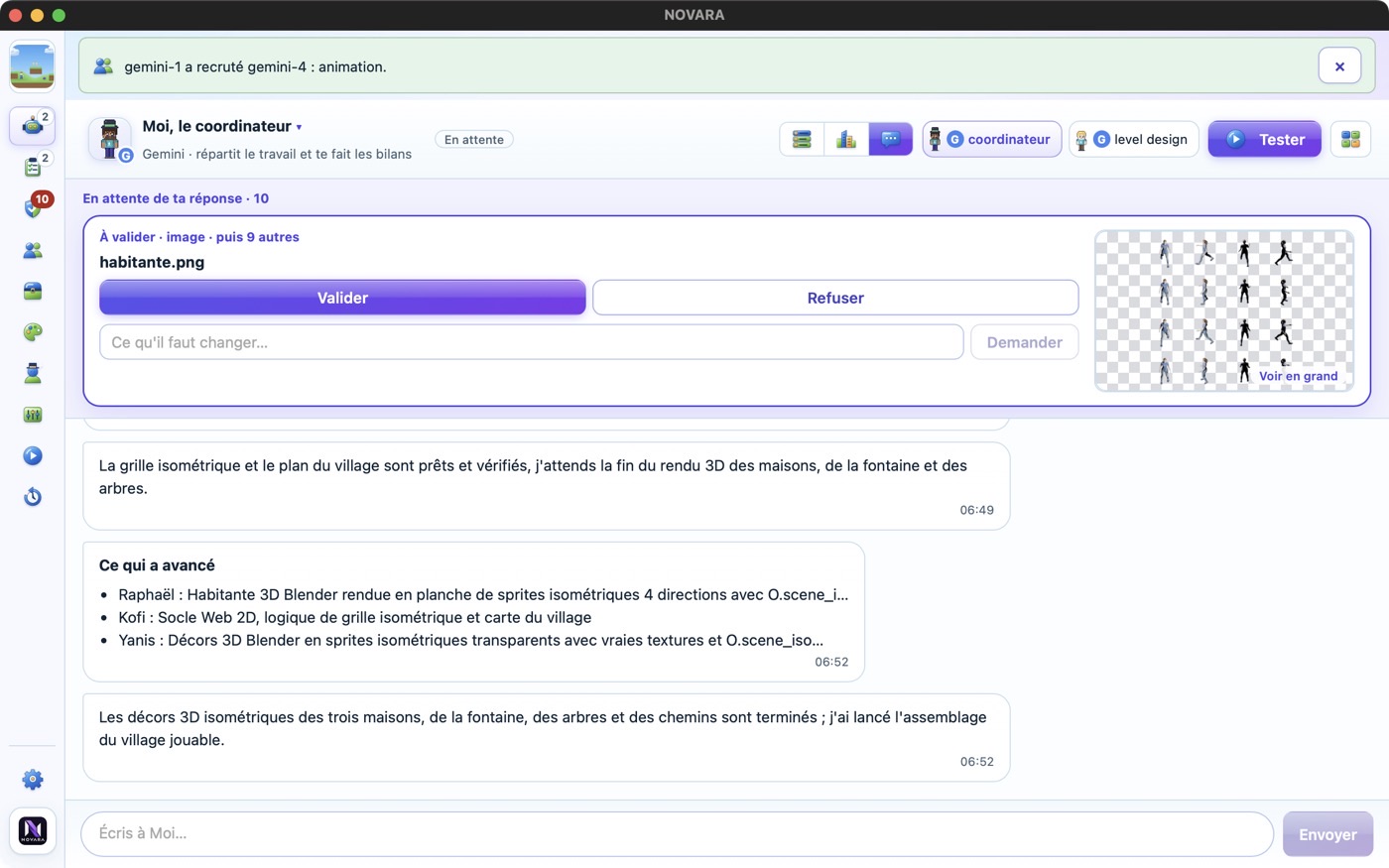
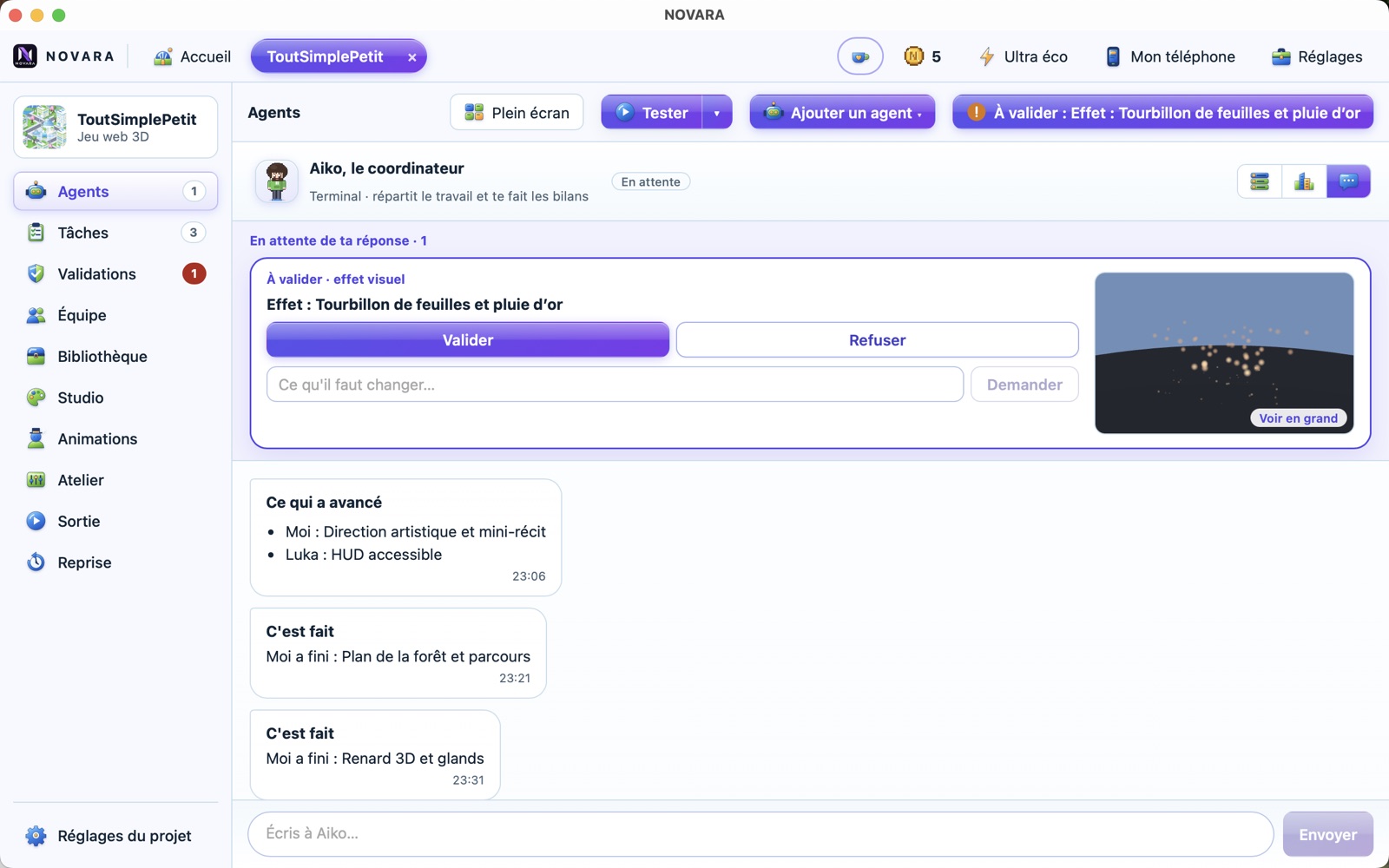
A new Chat view, beside the town and the list: one conversation per agent, and a coordinator who speaks in plain words. The approval waiting for you stays pinned on top with a live preview. Your decisions stay in the conversation — click one to see the asset again, ask for a change or change your answer. Progress reports are written by NOVARA from the tasks, so the chat costs no extra tokens.

  • Write to the coordinator even when no agent is running: NOVARA starts one
  • Switch agent from its name, filter by state, full screen
  • On the phone: a Chat tab, with “Sending…” then “Read ✓”
The chat: an approval pinned on top and the coordinator's reportsThe chat on the phone: messages, approved asset, answered question

Animation studio

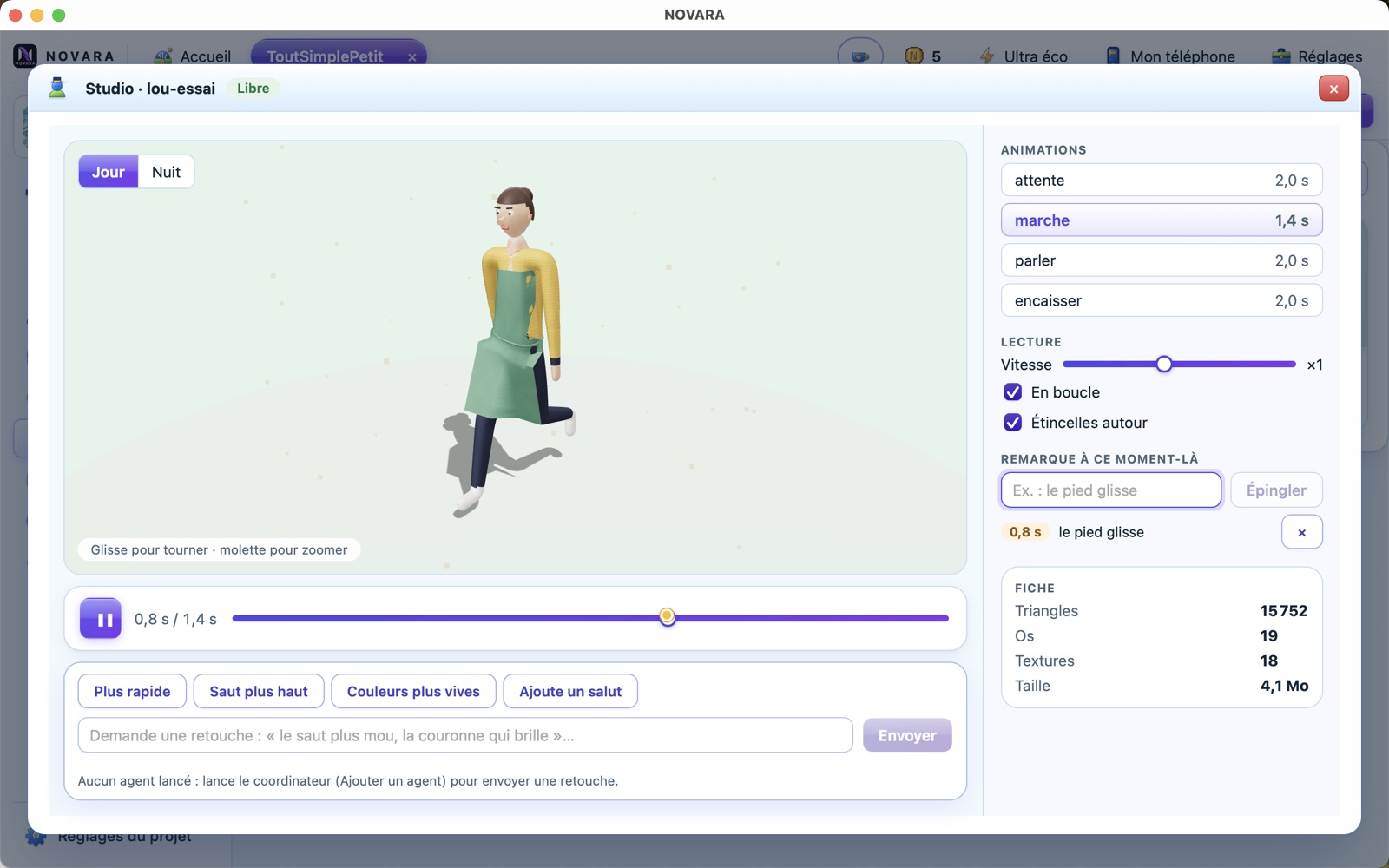
Watch your 3D characters' animations before they go in the game: walk, idle, talk… Turn around the model, slow it down, scrub the timeline, switch day and night. Pin a remark at the exact moment (“the foot slides at 0.8 s”) and send a change request to the agent who made it.

The animation studio: a 3D character walking, timeline and pinned remark

That was all we wrote. Here is what happened next.

Watch the team at work

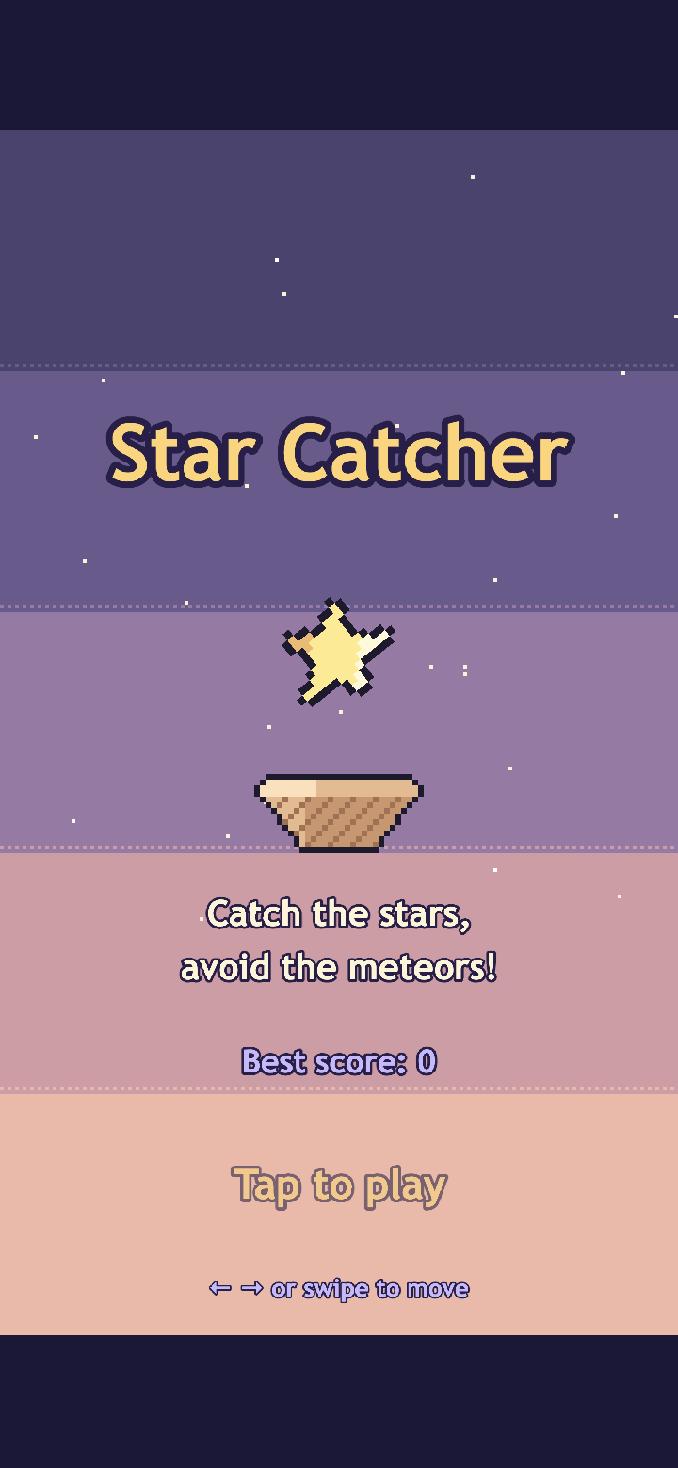
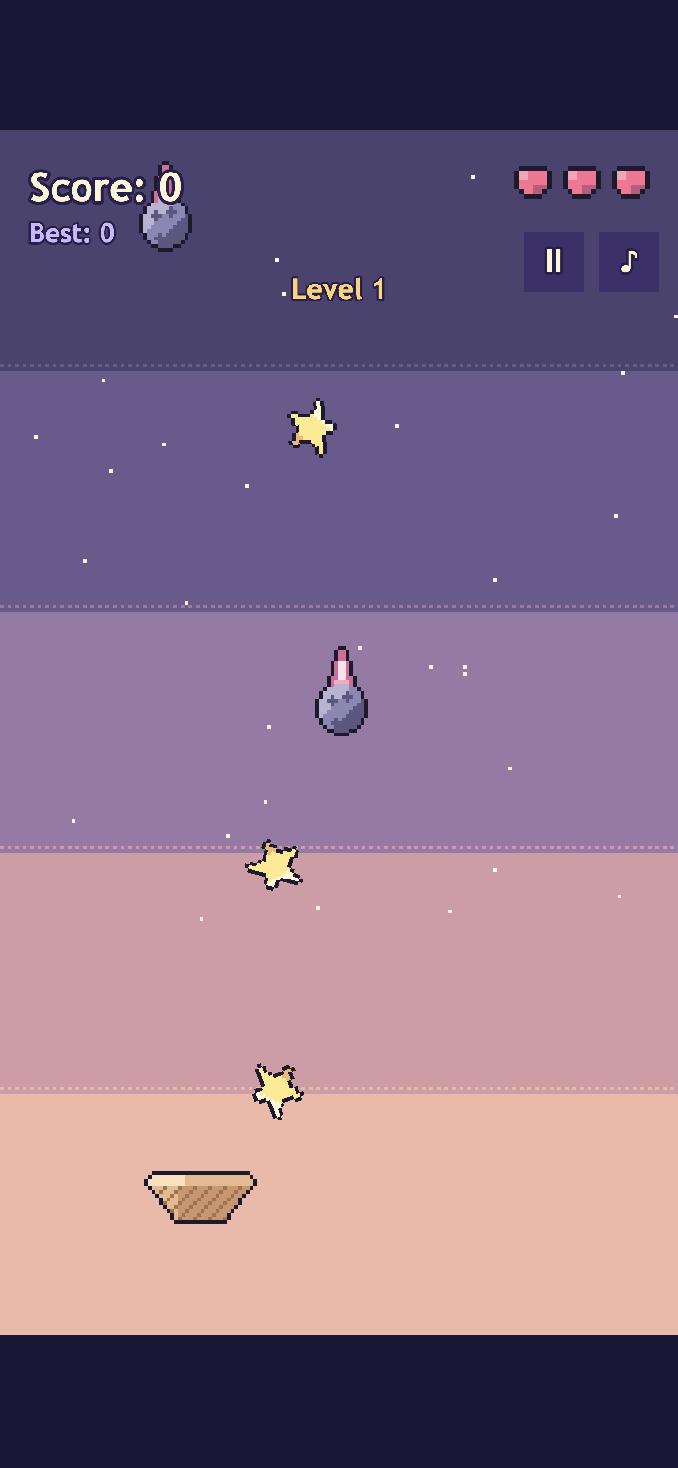
The coordinator planned five tasks and recruited a graphics agent, an audio agent and a tester. Each sprite came to us for approval. Thirty minutes later, the game was playable.

  1. Describe it — pick an engine and a style, or let the AI decide everything.
  2. The team builds it — tasks, file reservations, every fix checked by another agent.
  3. You approve — every sprite, model, interface and sound waits for your OK.
Star Catcher · team activity
  • Splits the idea into 5 tasks: code, sprites, audio, integration, tests
  • Recruits Nalu (graphics), Kalani (audio) and Ariel (QA)
  • Draws basket.png, star.png, meteor.png in pixel art
  • Checks each sprite: size, transparency ✓ — asks you to approve
  • Composes a soft looping track and 5 sound effects
  • Writes the game: menu, 3 levels, lives, high score
  • Plays full games, tries to break them, sends captures
  • “Switch the game to English.” — done in a few minutes
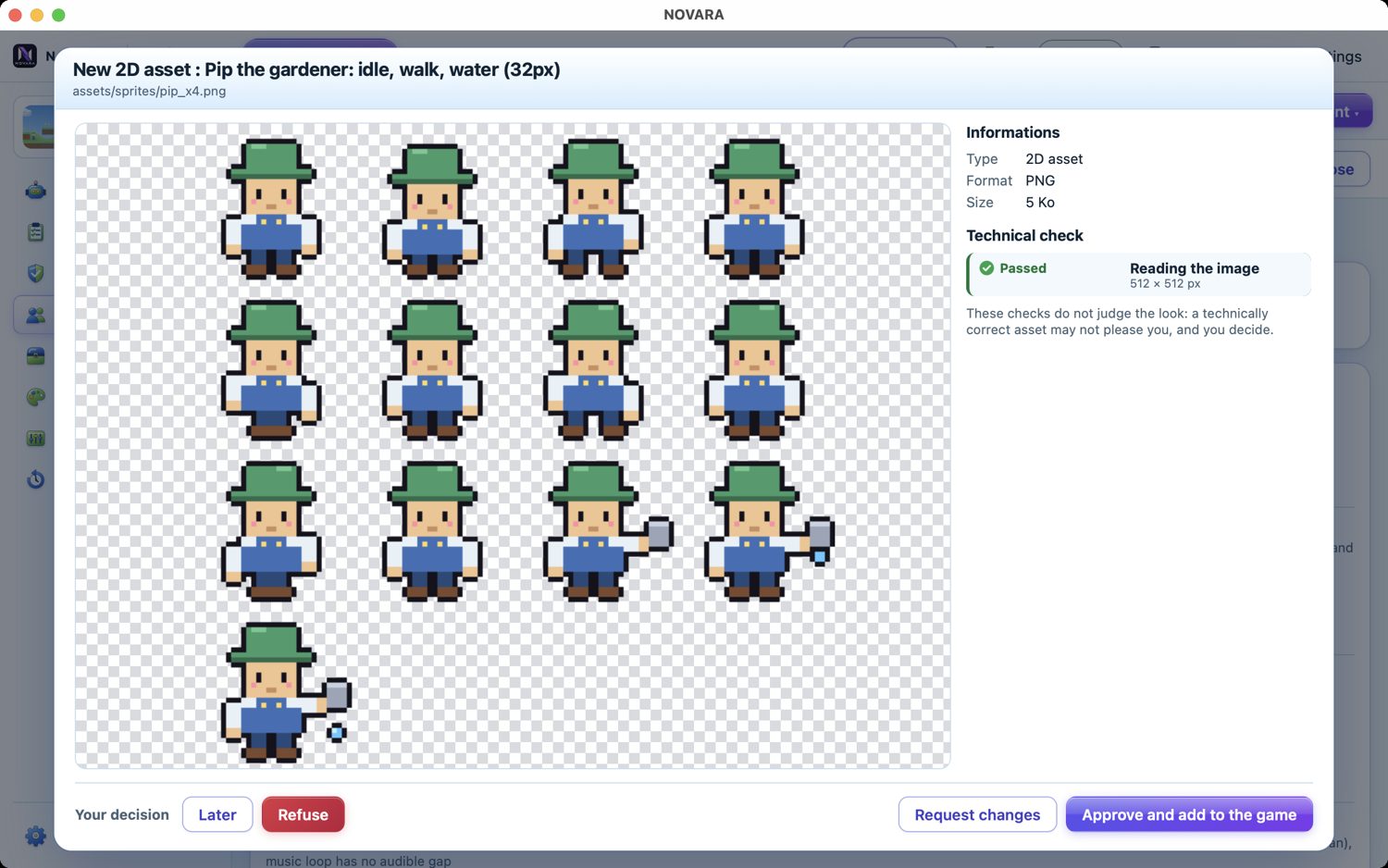
Approving Pip the gardener, made by the graphics agent
Every asset waits for your OK
Star Catcher title screen
The game, made by the agents
Star Catcher being played
Playable on computer and phone

Built to save your tokens

Agents use your own subscription or tokens, so NOVARA spends them only where an AI really helps.

Right model

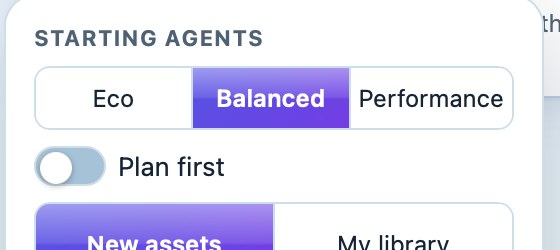
The heavy thinking goes to the best model; quick tasks go to a small, cheap one. Choose economical, balanced or maximum quality per project.

0 tokens

for images, sounds and music made by local tools: the image generator, Blender, Inkscape and NOVARA's synthesiser run on your computer.

Checks for free

Sizes, transparency, silent sounds, broken 3D models: NOVARA checks them itself instead of asking an AI to look.

No re-reading

A short project summary and a resume file mean agents don't re-read the whole project every time they start.

Starting agents: Eco, Balanced or Performance
Eco, Balanced or Performance — per project, in one click.

Autonomous agents. You keep the last word.

The team plans, builds, tests and fixes on its own — and comes back to you only when your taste matters.

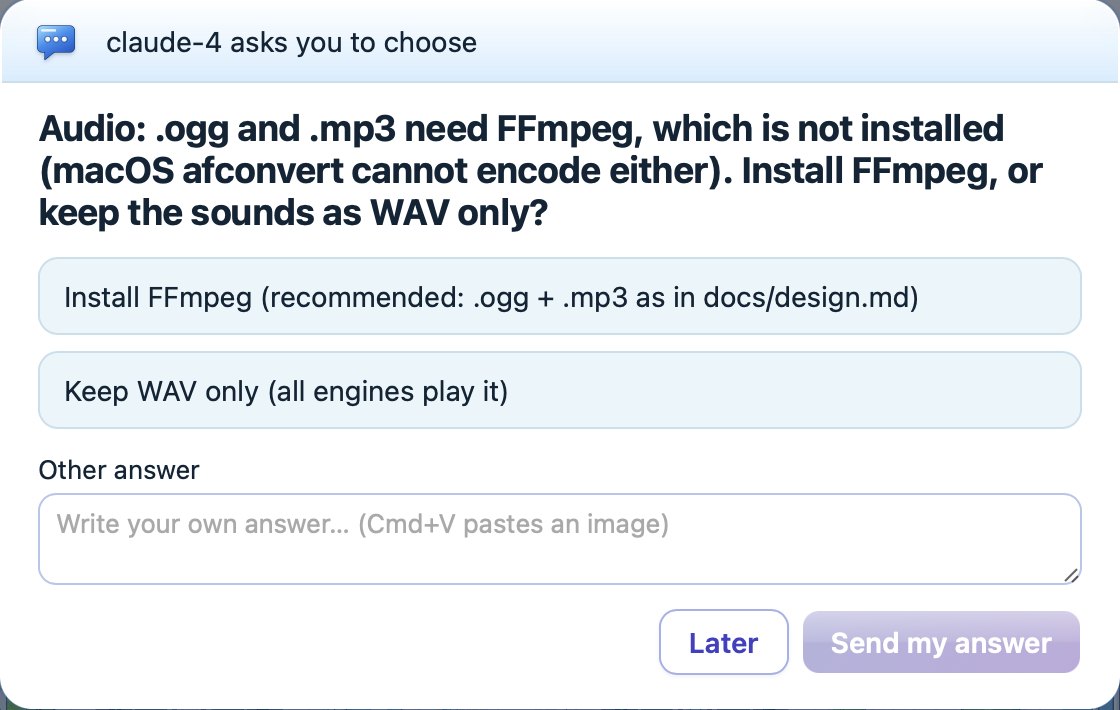
An agent asks the user to choose
They ask you to choose. When there is a real decision — a mood, a palette, a tool to install — an agent offers a few clear options, or your own answer.
An agent suggests an idea
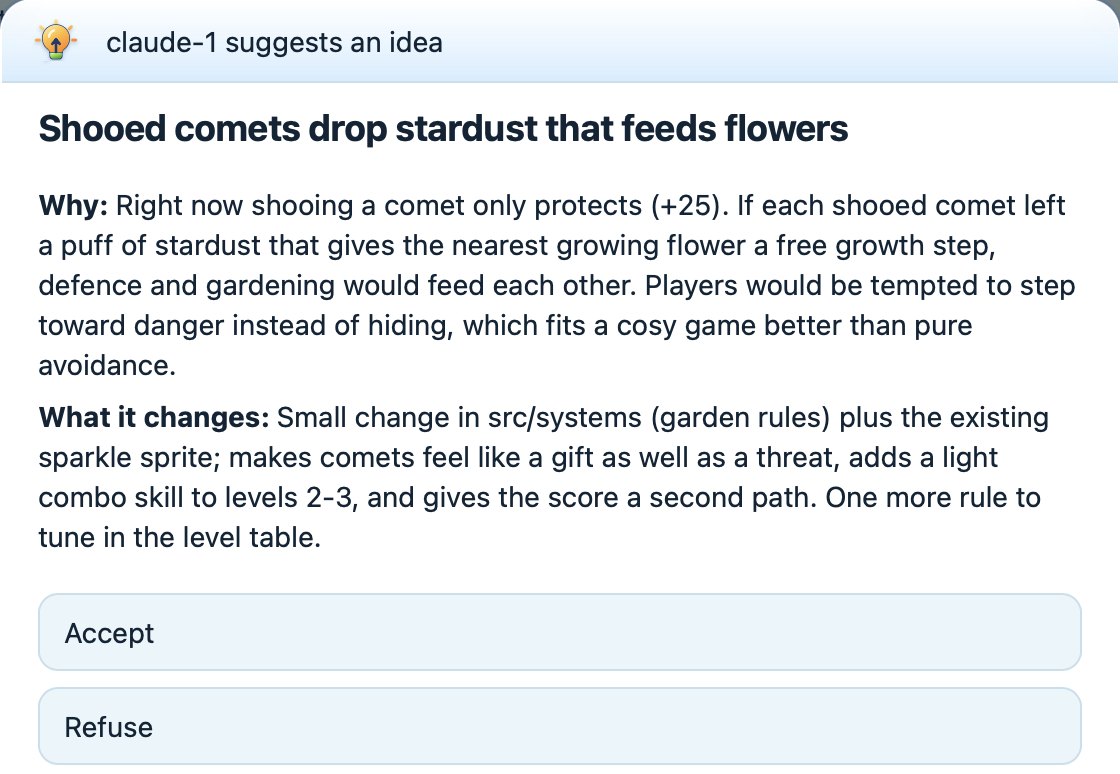
They suggest ideas. An agent spots an improvement, explains why and what it changes; you accept, refuse or adjust it.
Tasks with criteria and proofs
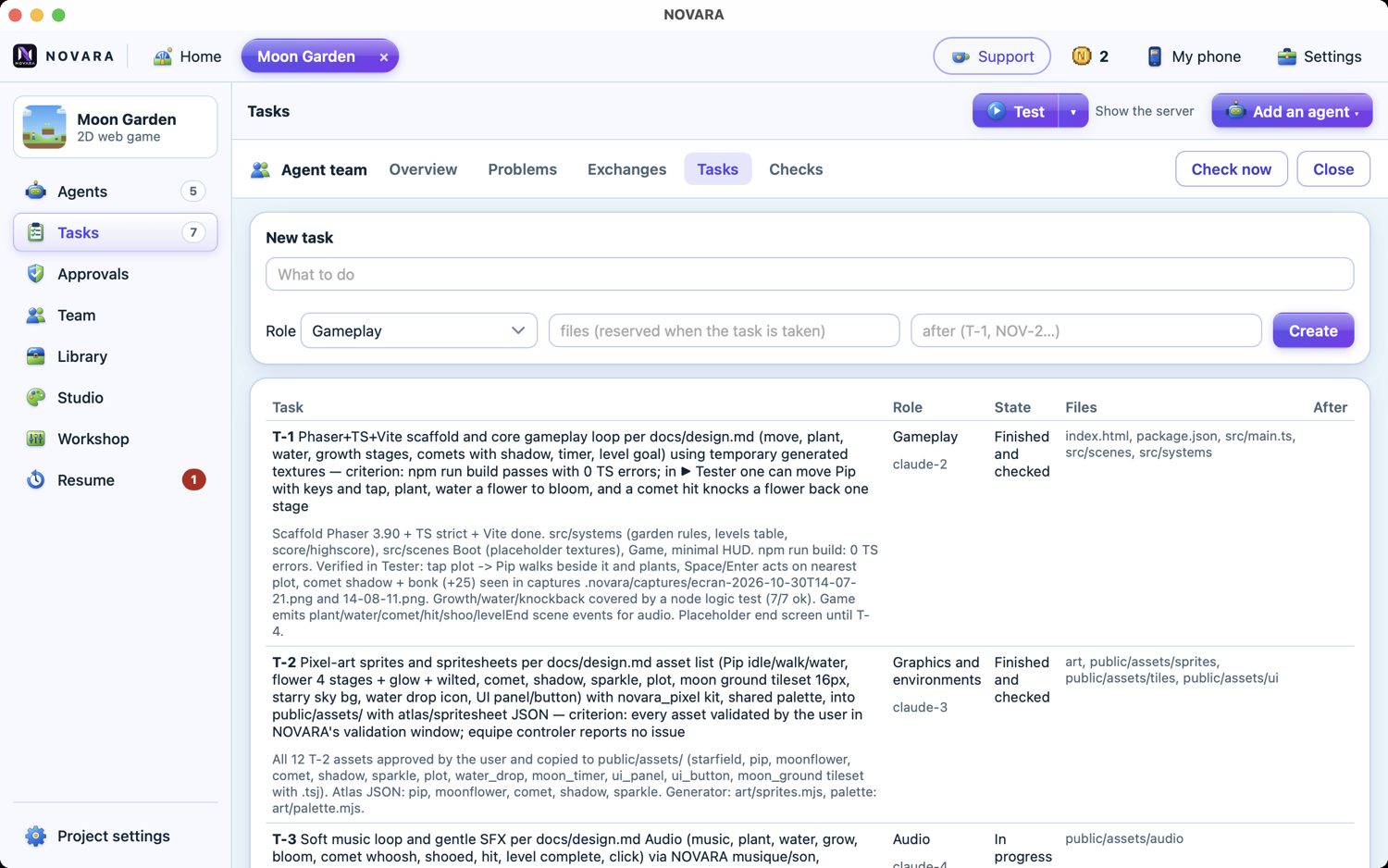
They prove their work. Every task has a criterion; another agent checks it with real proofs — builds, tests, captures — before it counts as done.

One question at a time: approvals, choices and ideas wait in line, so you are never buried under windows.

Everything a small studio needs

A real team of agents

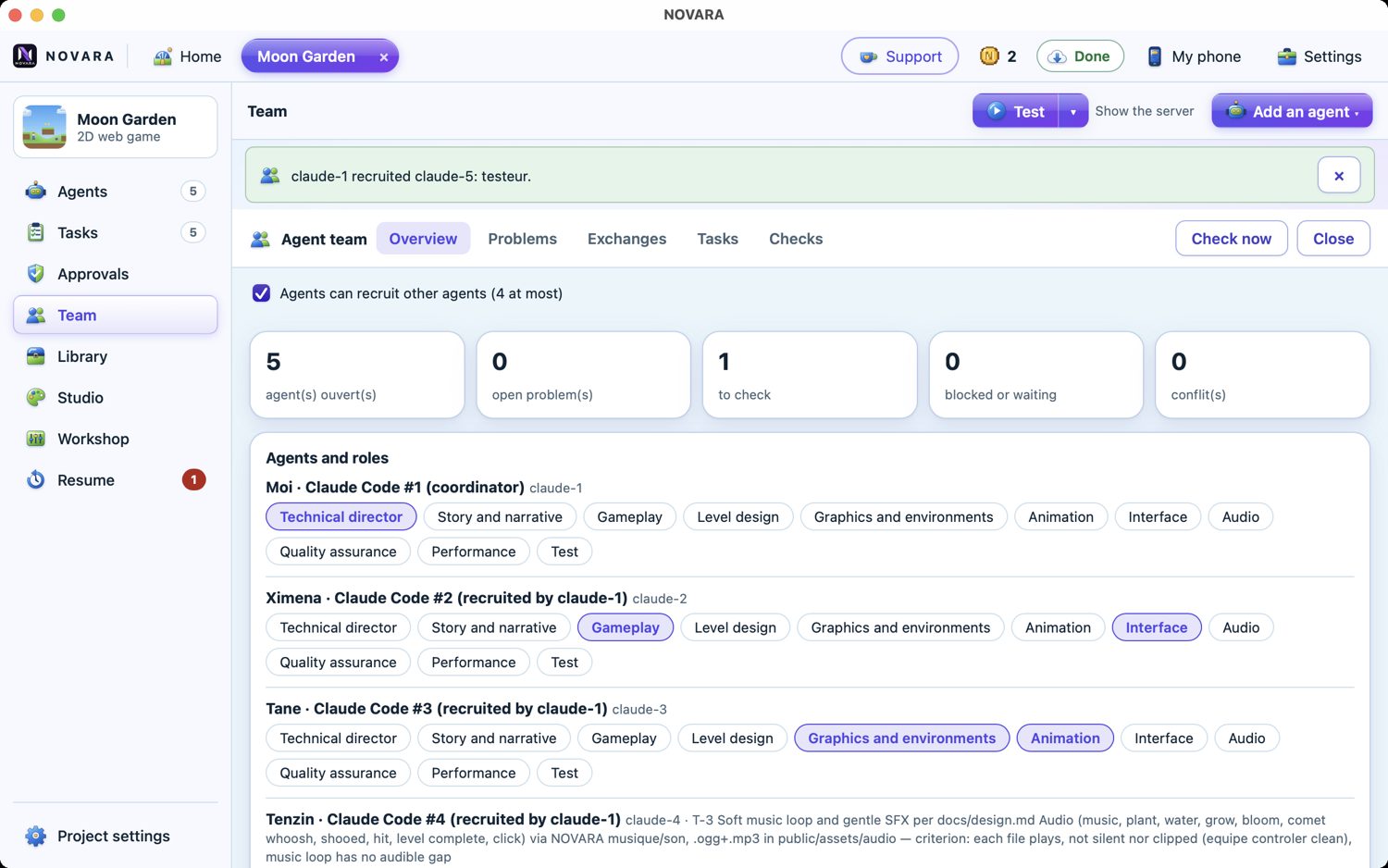
A coordinator (the mayor of your town) turns your objective into tasks with clear acceptance criteria, then recruits up to four agents at once — gameplay, graphics, audio, levels, QA… Agents reserve the files they edit, report problems to each other with proofs, and never approve their own work.

  • Tasks, dependencies and checks in one place
  • Team messages, open problems, restore points
  • Pick one or more AIs: NOVARA gives each one what it does best
  • Out of tokens? NOVARA offers to switch to another AI
  • Pause at each step if you want to follow everything
  • Pick the models: economical, balanced or maximum quality
The team's tasks: code, sprites, audio, integration, tests

You stay in charge

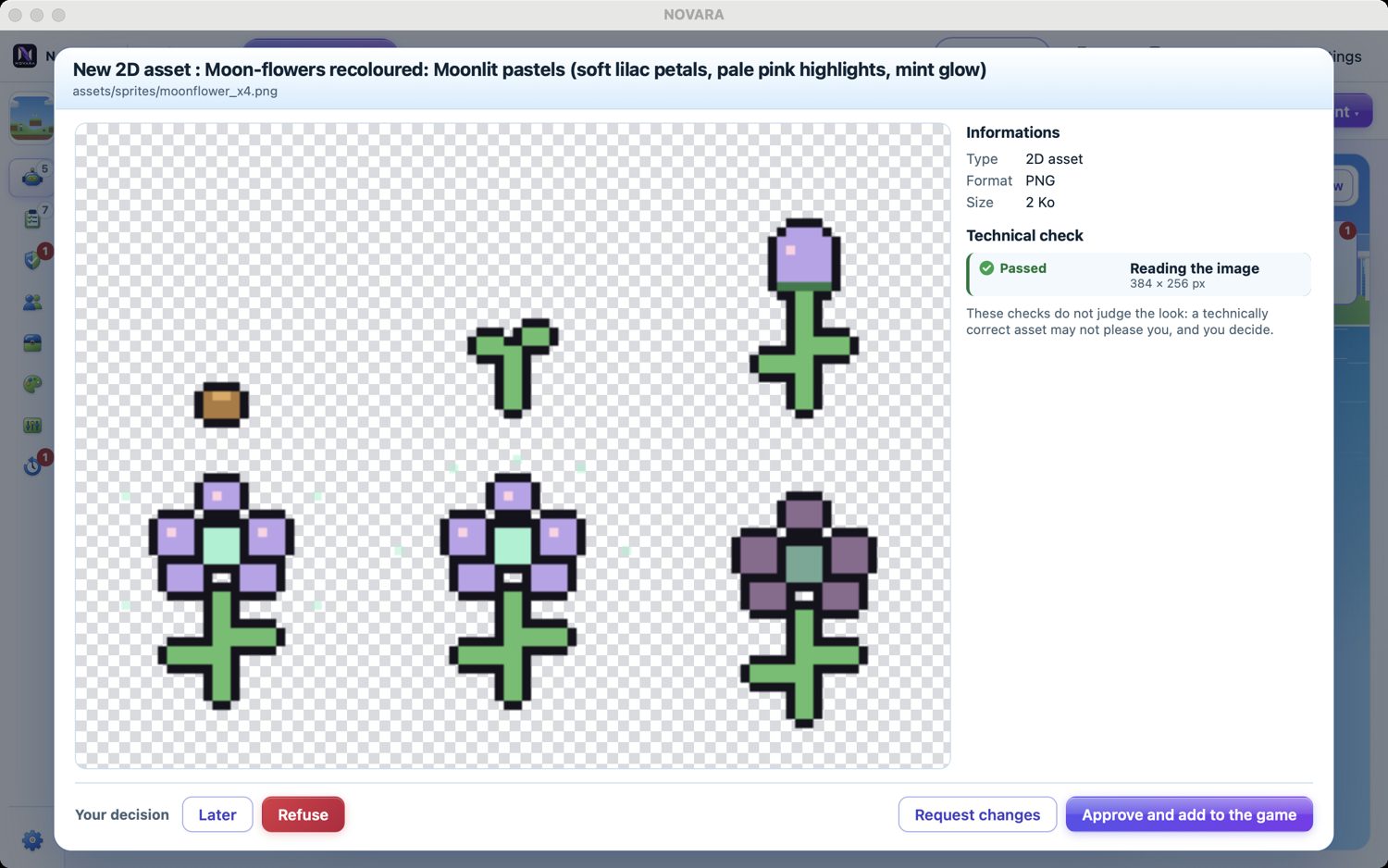
When an agent makes a sprite, a 3D model, an interface (HUD, menus) or a sound, NOVARA checks it technically — size, transparency, floating parts, silent audio — then shows it to you. Nothing enters your game without your OK. Agents can also suggest ideas or ask you to choose between options.

Approval window: moon flowers recoloured by the graphics agent

Watch them work

Follow your agents as a town where each agent has a house, or as text with their live terminals. Bubbles say what each one is doing: writing a file, testing the game, thinking… On a break, they stroll, chat, play basketball or look at the sky.

The team panel: agents, problems, checks, reserved files

Assets made on your computer

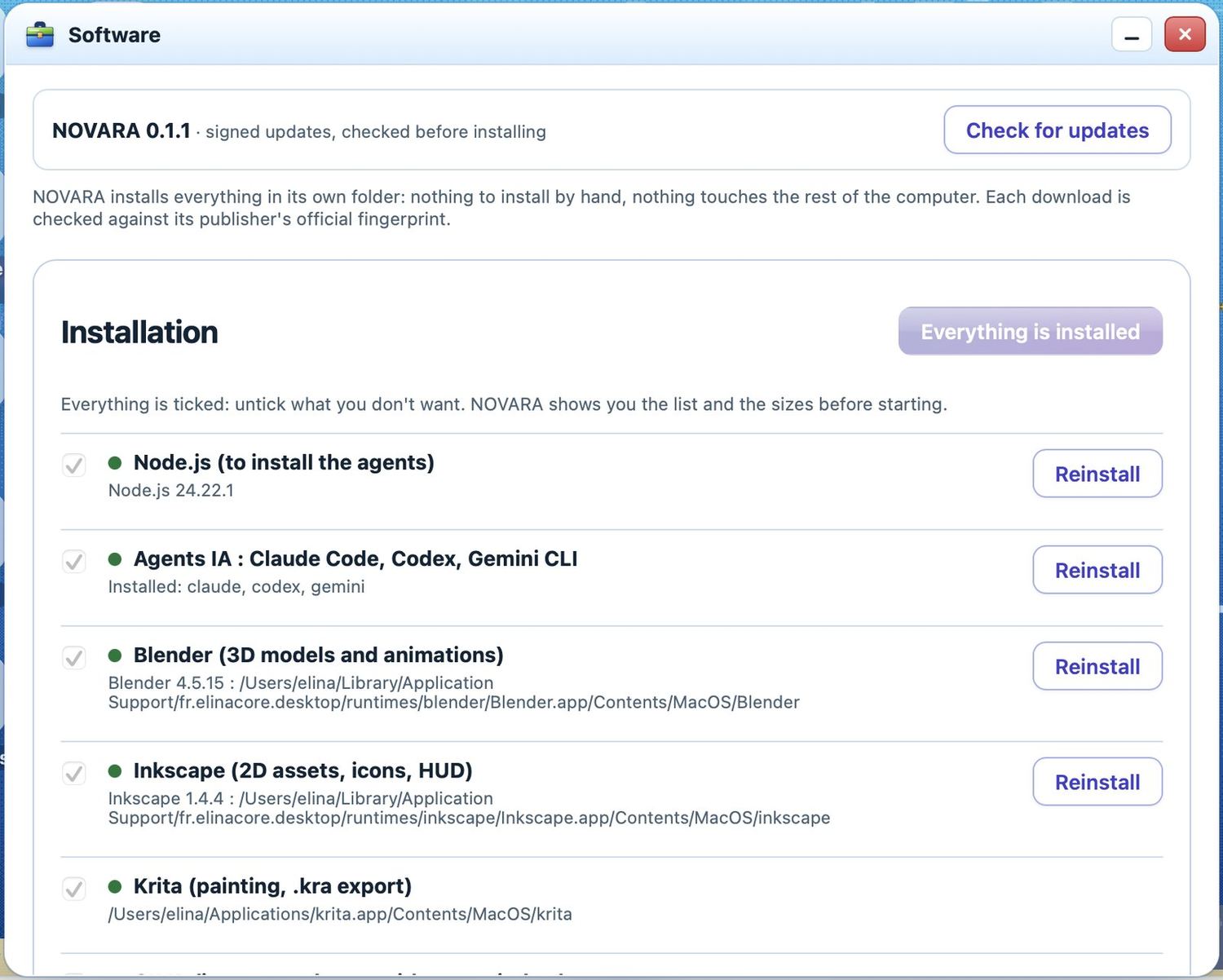
NOVARA installs and drives free creative tools for your agents — Blender, Inkscape, Krita, GIMP, LibreSprite, a local image generator (ComfyUI) — and its own sound synthesiser for sound effects, looping music and ambiences. Every download is checked against its publisher's fingerprint.

  • Pixel art kit, spritesheets and Tiled tilesets
  • 3D models in low-poly, PS1, toon or realistic styles
  • Visual effects: particles, shockwaves, holograms
  • An asset library shared between your projects
Software: the tools NOVARA installs

A library for all your projects

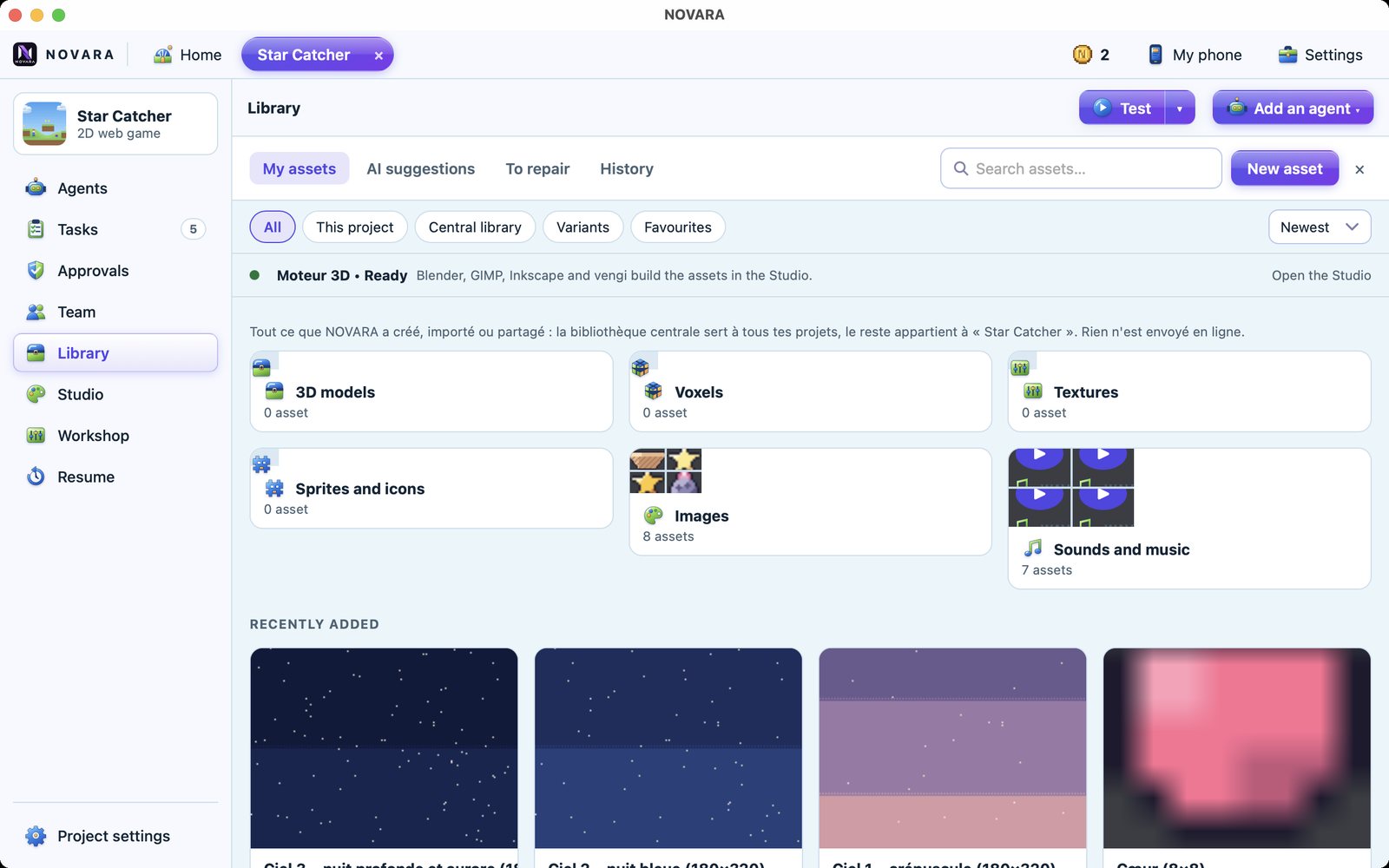
Everything you approve goes into the project's library — and, if you like, into a central library shared by all your projects. Agents look there first and reuse what exists instead of making it again. The Studio takes a request in plain words (“a 1024 wet cracked concrete texture”), picks the right tools and shows you the plan before anything costs a thing.

  • Versions, variants, favourites and restore
  • Local, hybrid or online tools — you choose
The asset library: 3D models, voxels, textures, sprites, images, sounds

A workshop for sounds and effects

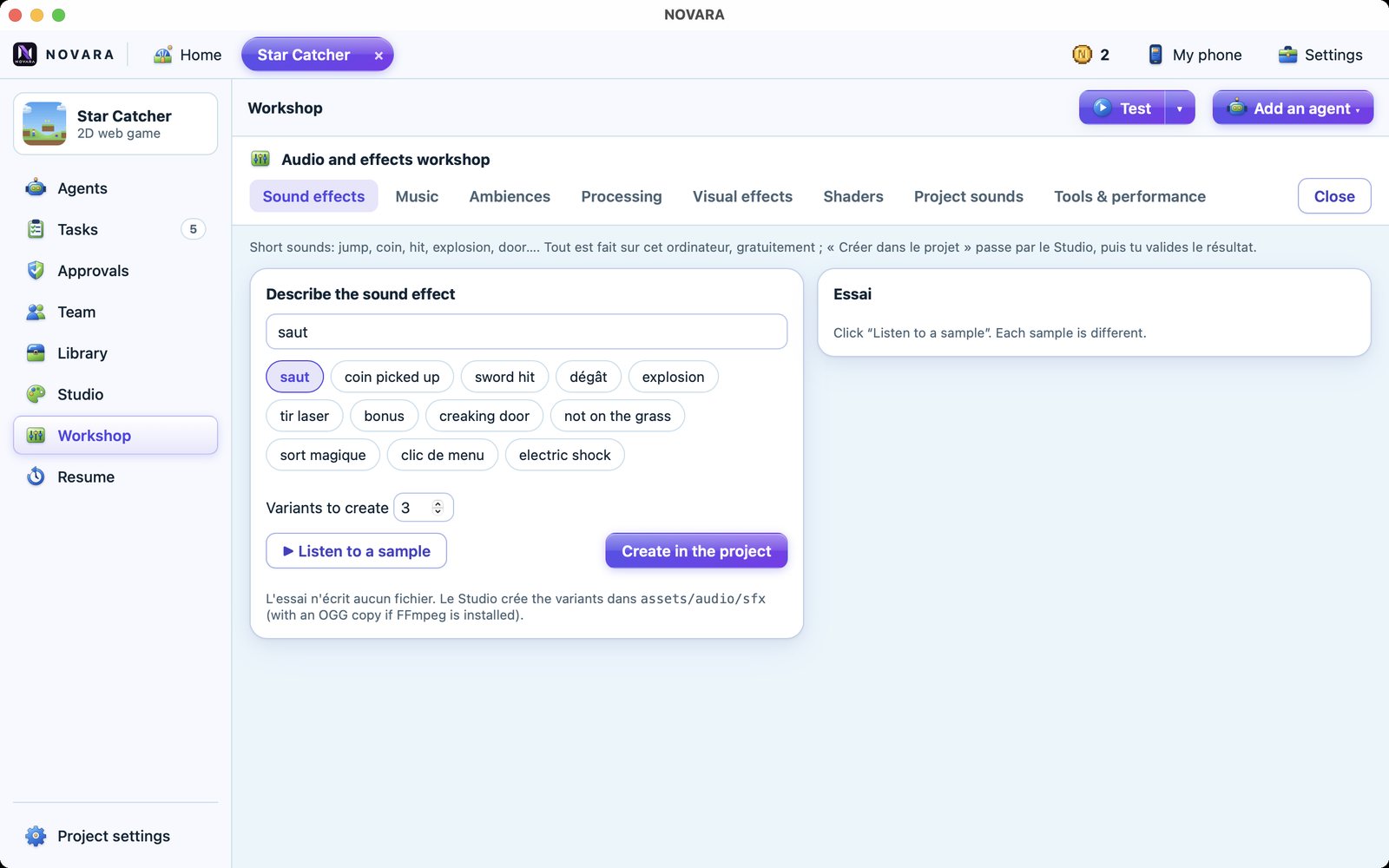
Describe a sound effect — a jump, a coin, a creaking door — and listen to several variants made on your computer. Compose looping music by mood, layer ambiences, process sounds, preview visual effects and shaders. Then send the one you like to your project.

  • 49 ready VFX: fire, smoke, explosions, spells, magic, impacts, leaves, stars…
  • Real Blender simulations for flames and smoke
  • For Unity (Built-in, URP and HDRP), Roblox Studio and web games
  • A 3D preview window to approve each effect before it goes into your game
  • On Unity, NOVARA films your real game runs as video with sound: clips and a trailer ready for your release
The audio and effects workshop

Listen: sounds made by the agents

No sample library and no audio AI: NOVARA has its own synthesiser. The audio agent describes a sound — “a soft soil poke”, “a cosy lofi loop” — and NOVARA builds it from oscillators, noise and envelopes, in several variants to compare. Music is composed as a MIDI score, then rendered in layers you can mix. Everything is made on your computer and is yours, royalty-free.

These are real files from the demo games Moon Garden and Star Catcher, made by the agents in a few minutes.

Moon Garden — main themeLooping music, 4 layers · turn them on and off

Your AI accounts, your choice

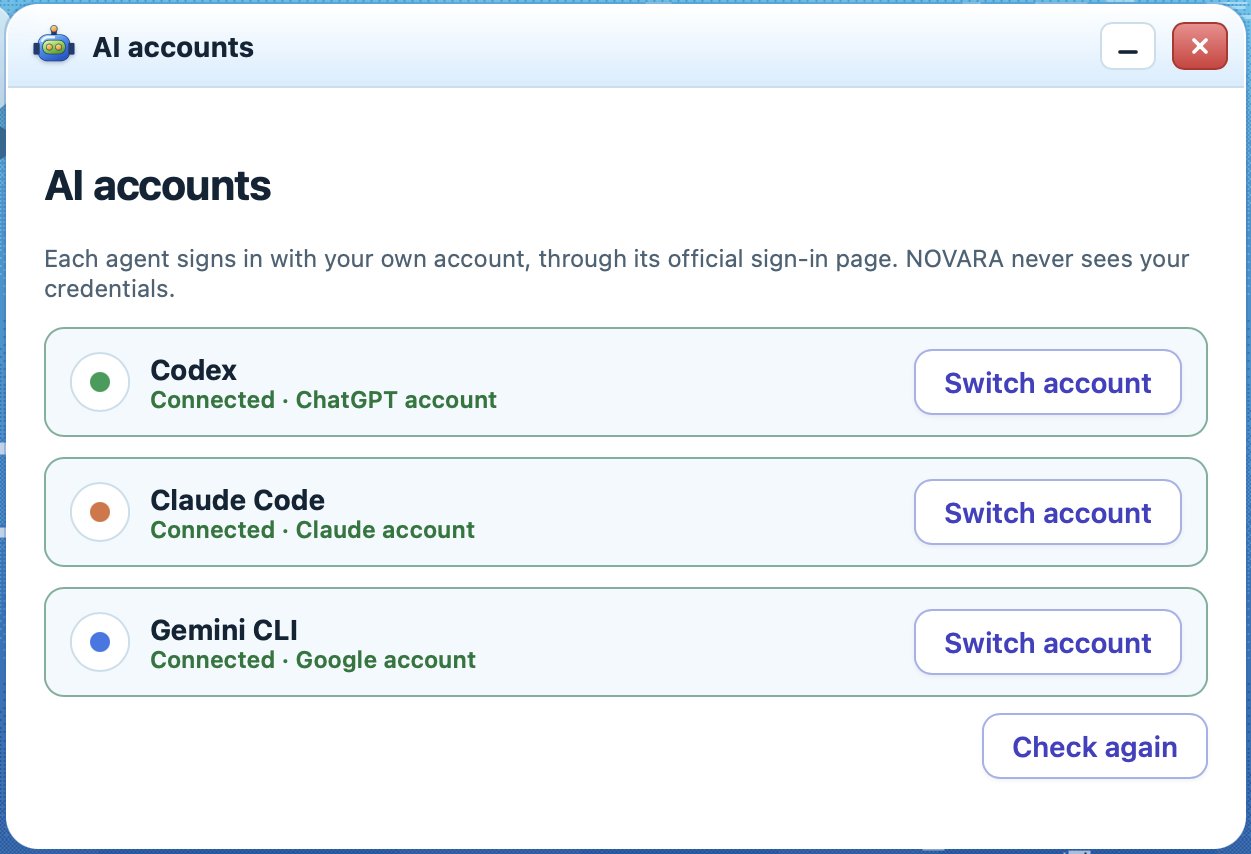
Sign in to Claude Code, Codex (ChatGPT) or Gemini (Antigravity) from the app — NOVARA installs them for you. Pick a main AI and, if you like, other AIs to help it; agents use your own subscription or tokens. Connect online services when you need them: Supabase, Cloudflare, Netlify, Roblox Open Cloud.

AI accounts: Codex, Claude Code and Gemini (Antigravity) connected

NOVARA on your phone

Scan the QR code shown on your computer and your phone becomes a remote for your studio: watch the town live, read what each agent is doing, follow the tasks, approve sprites and models, answer the agents' questions — and play your game. It all stays on your own Wi-Fi.

  • ▶ Test plays your game on the phone in one click
  • Chat, Tasks, Approve and Library tabs, plus Town or Game
  • Add it to your home screen like an app
  • Mini-games, shop and character, with your computer's coins
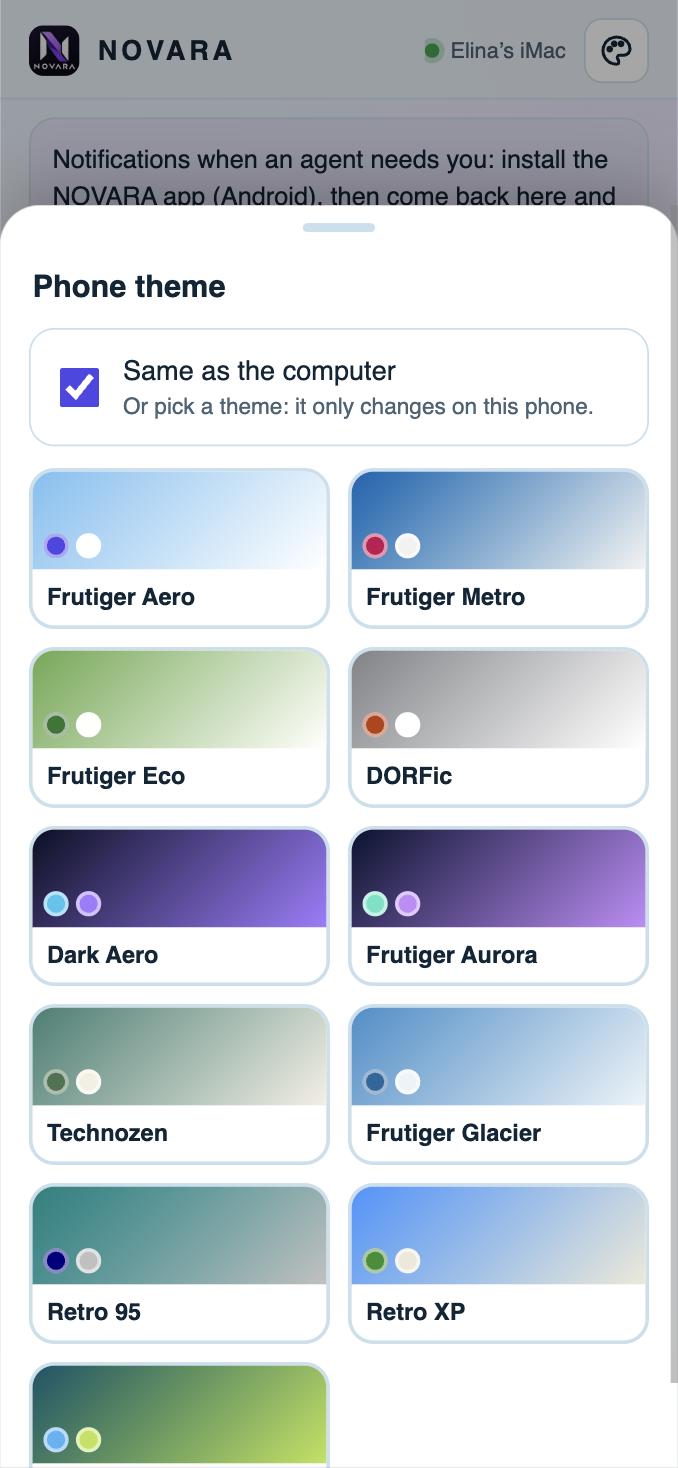
  • Its own theme, or the same as the computer
  • Android app with notifications when an agent needs you
  • Works in any phone browser, iPhone included
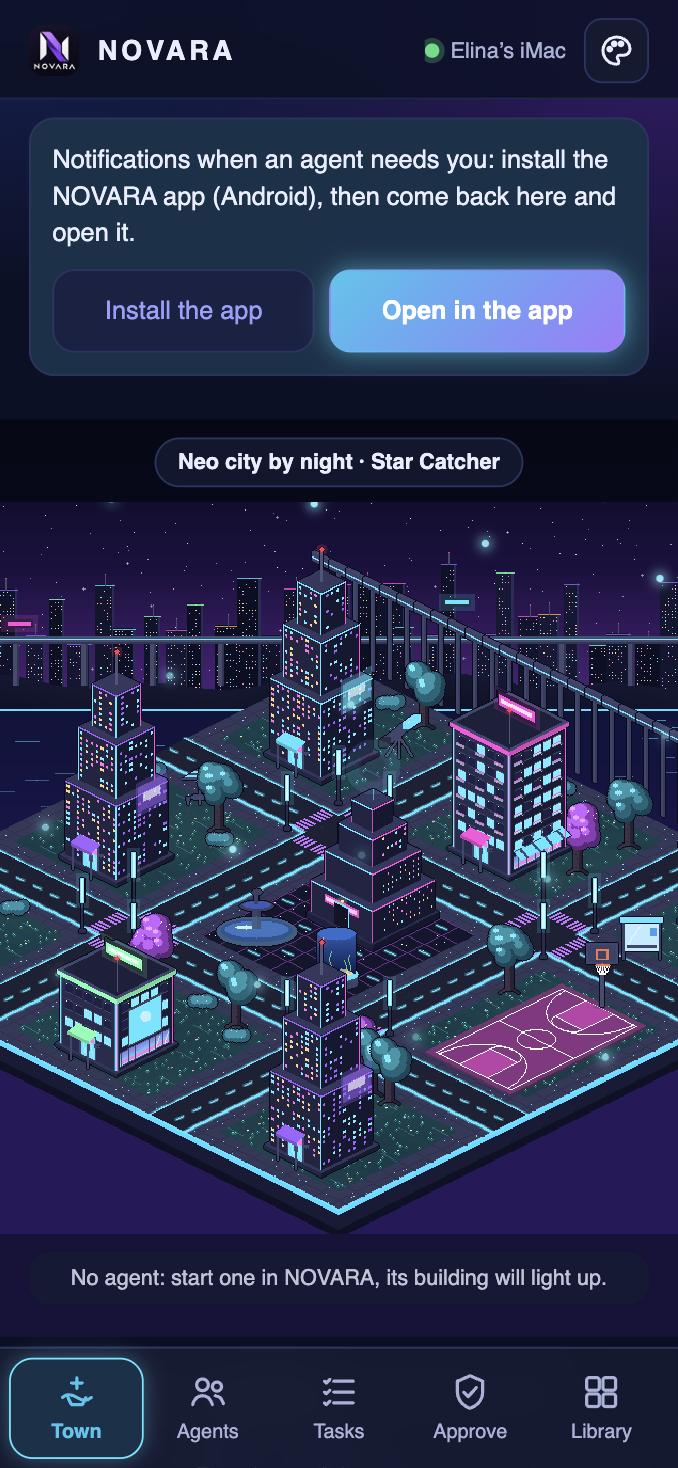
The town on the phone, Dark Aero theme
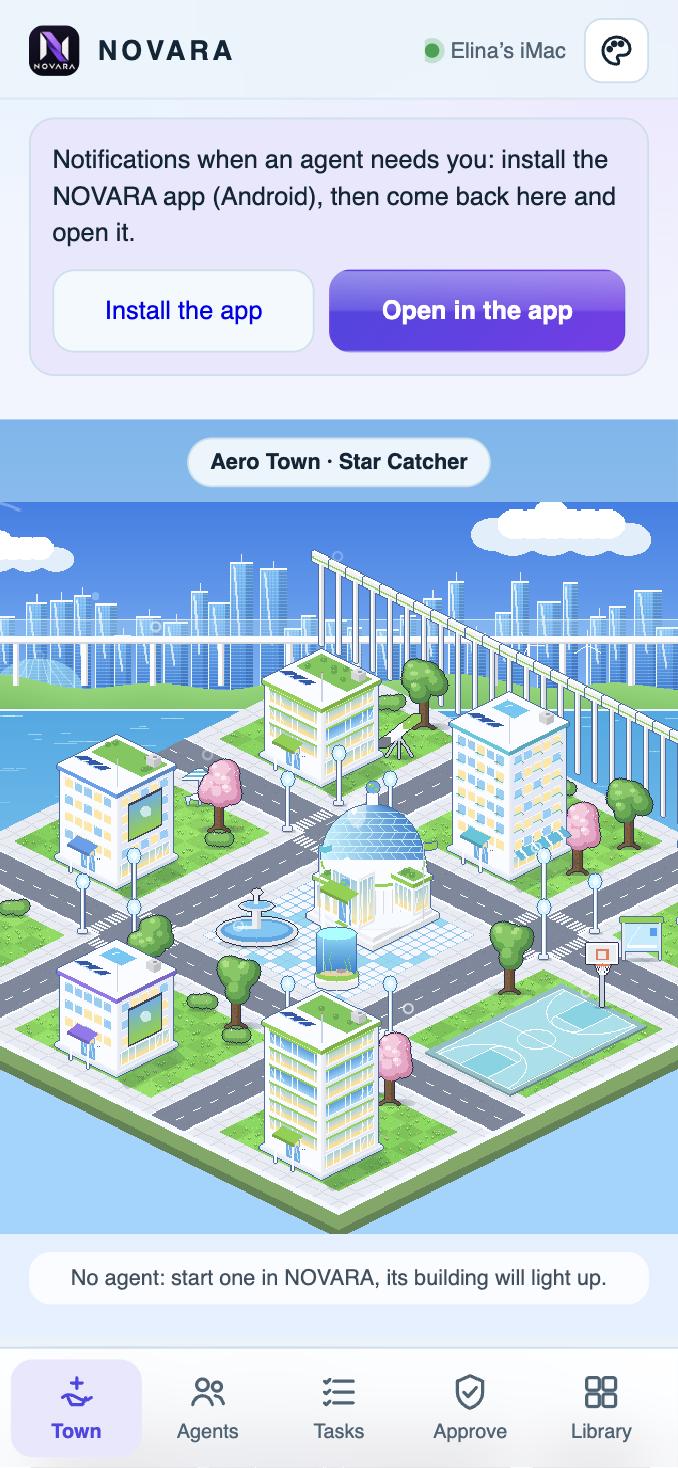
The town on the phone, Frutiger Aero theme
Choosing the phone's theme

Talk to your agents

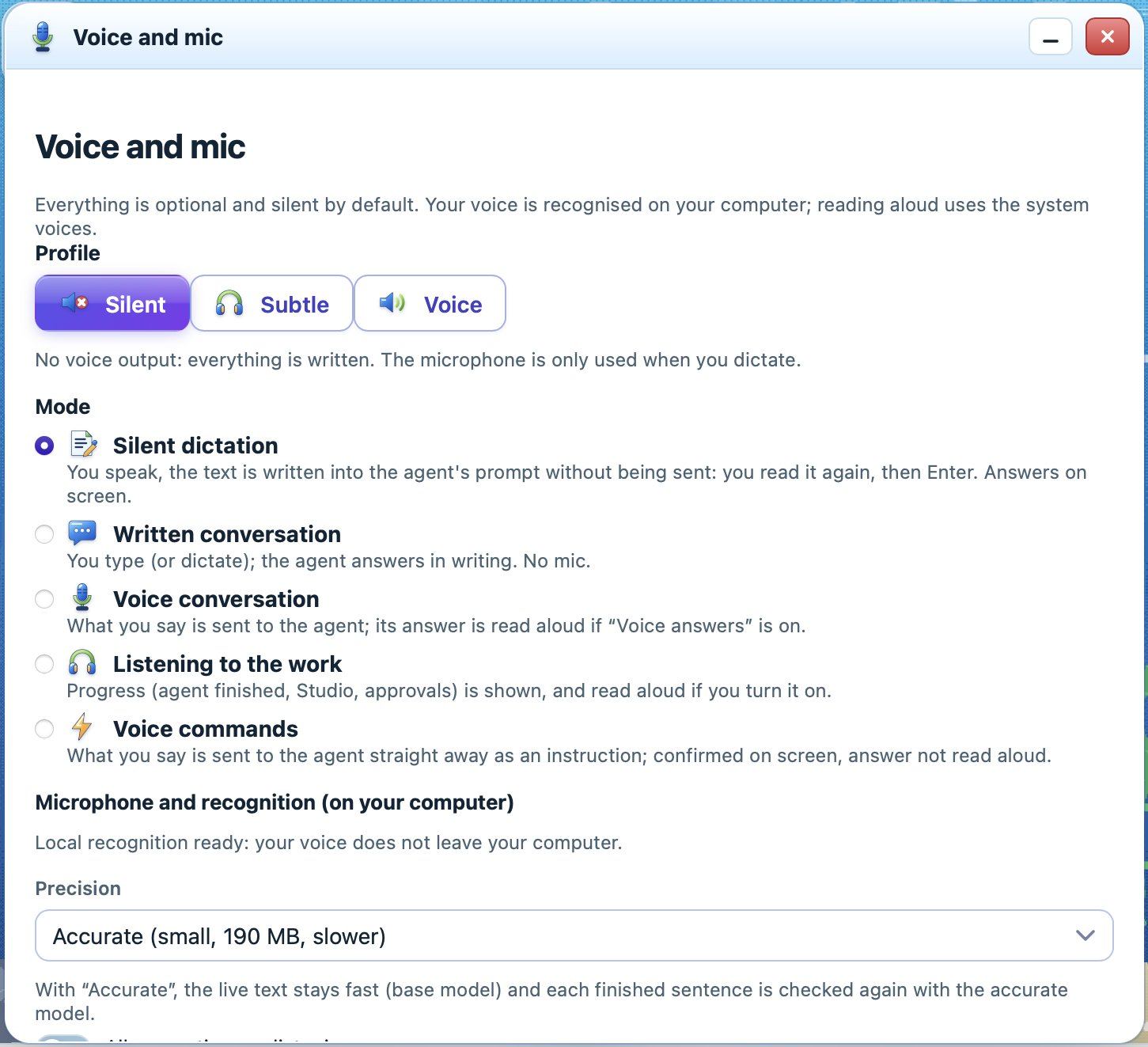
Dictate your messages: recognition runs on your computer, nothing is sent online. Choose silent dictation, written or voice conversation, or voice commands.

Voice and mic settings

A studio that feels like a game

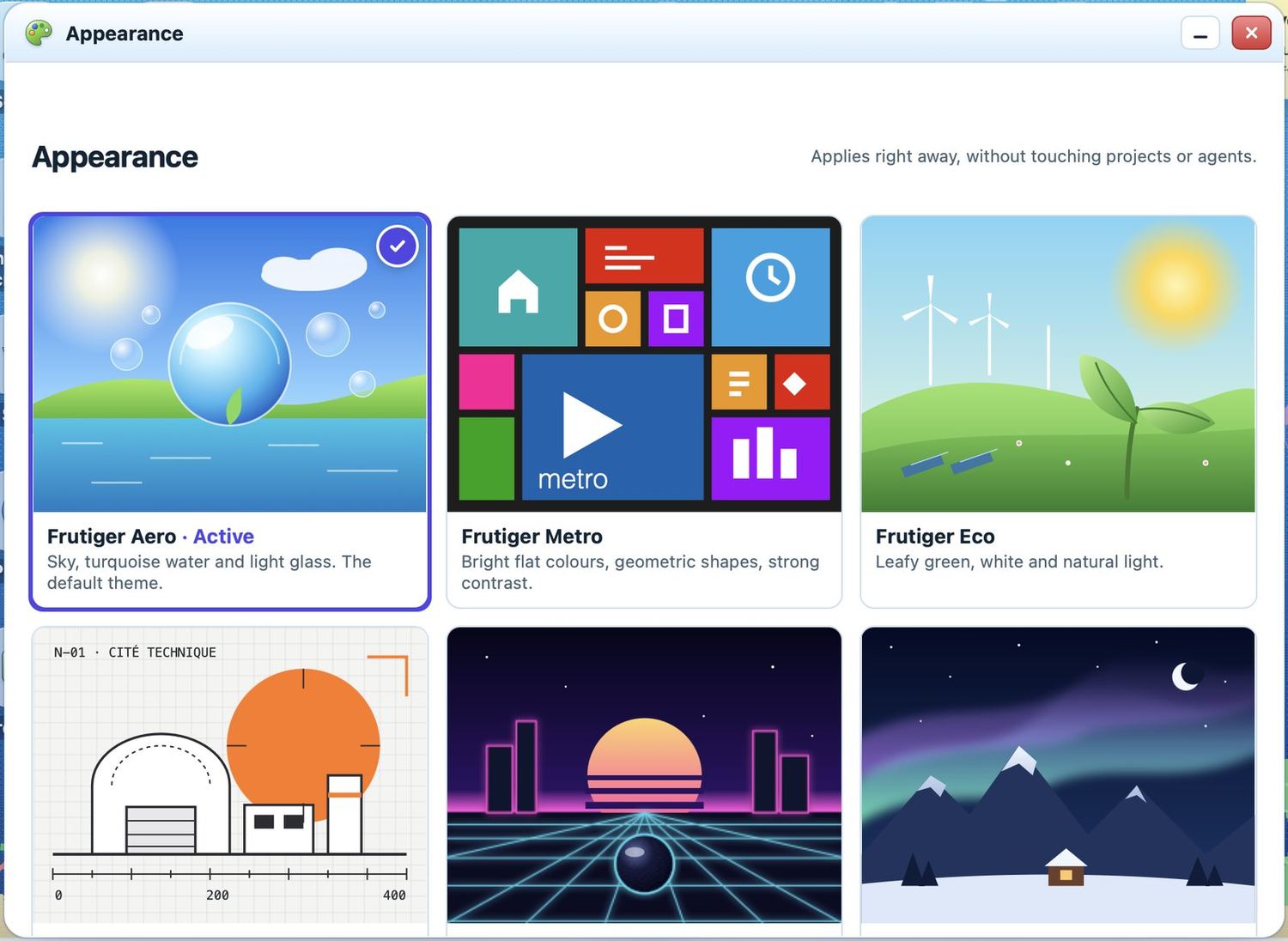
Eight themes change the whole app — colours, icons, cursor, sounds and animated wallpapers — and three secret ones wait to be found.

1 / 8

Frutiger Aero

Sky, turquoise water and light glass. The default theme.

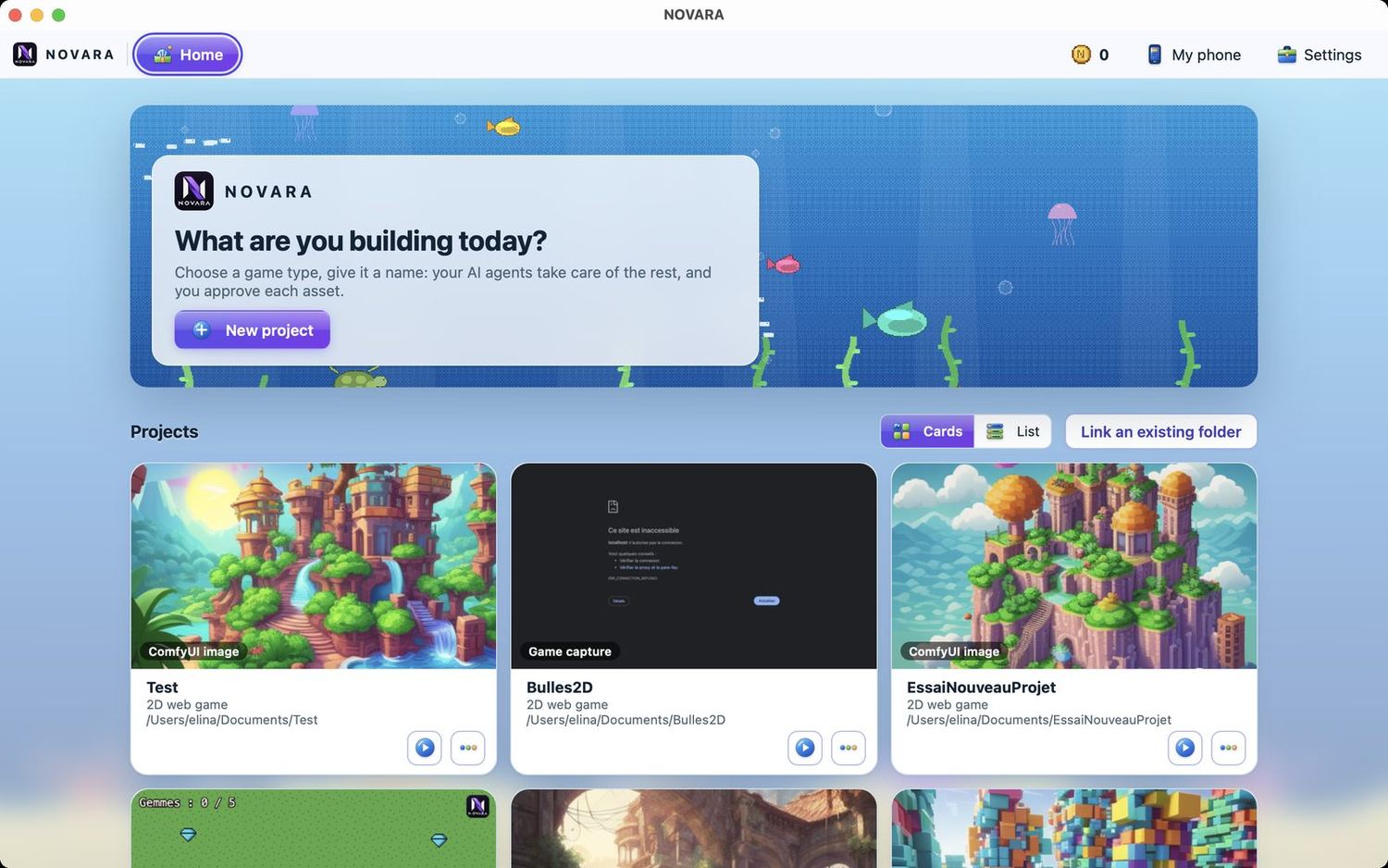
NOVARA in the Frutiger Aero theme
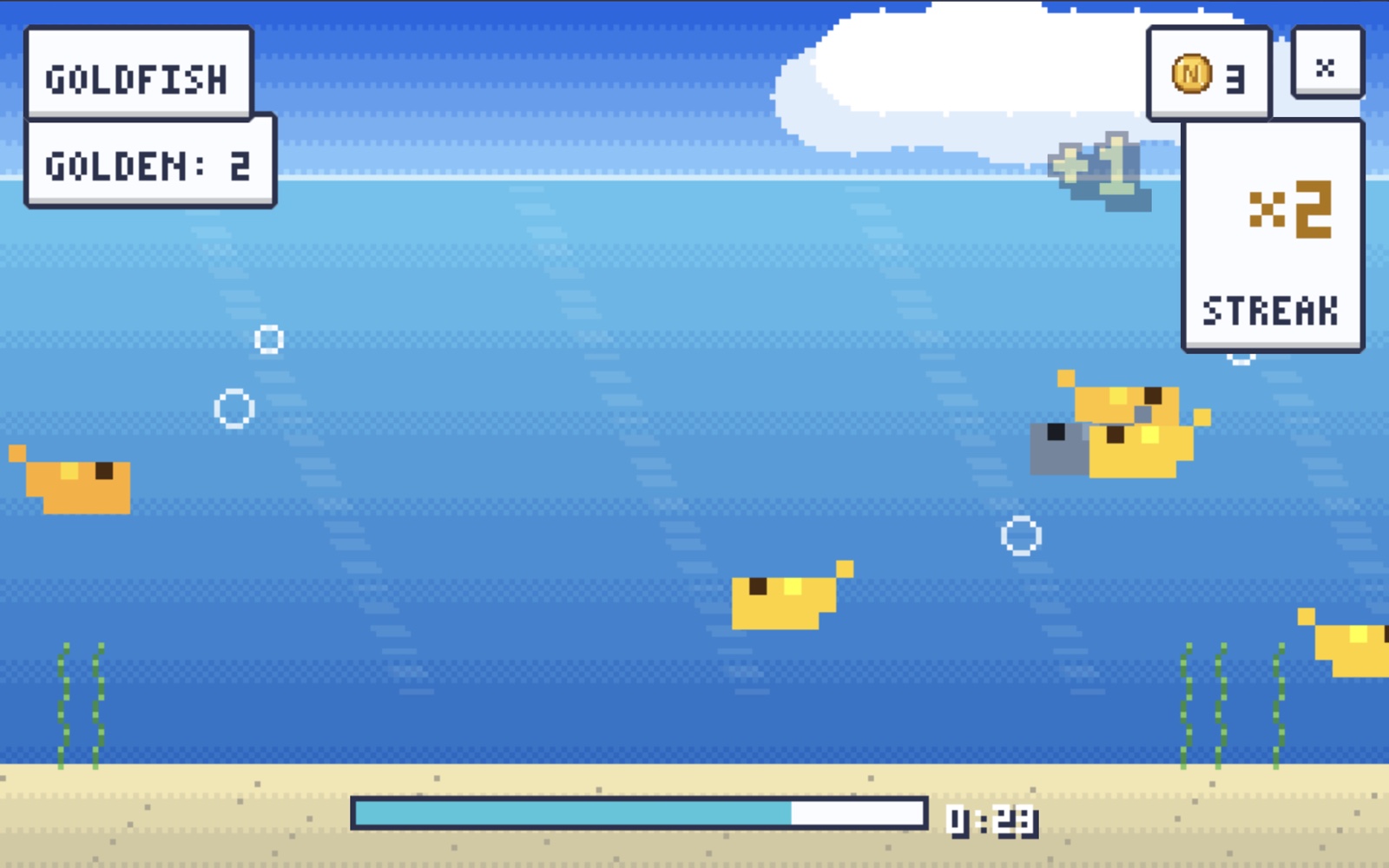
Goldfish mini-game in pixel art

Mini-games & coins

Click things in your town — the fountain, the hoop, the aquarium, a mystery block — to play 12 relaxing pixel-art mini-games drawn in your theme's colours. 30-second rounds, very easy, one point = one coin — and if an agent needs you, the game pauses and keeps your coins.

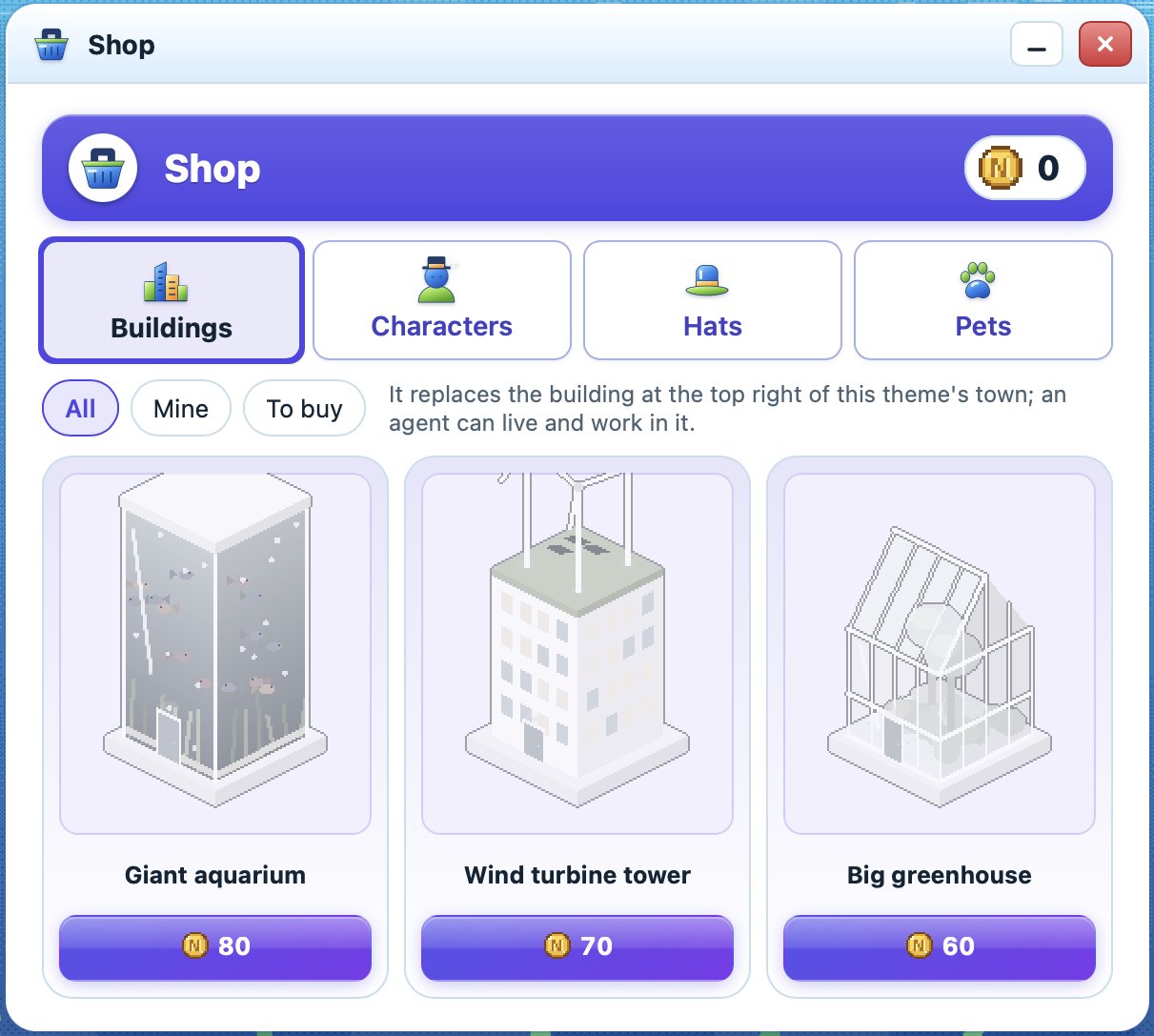
The shop: buildings, characters, hats, pets

Unlock things

Spend your coins in the shop: new buildings for your town, characters, hats and pets. Some are hidden behind secrets and old video-game codes.

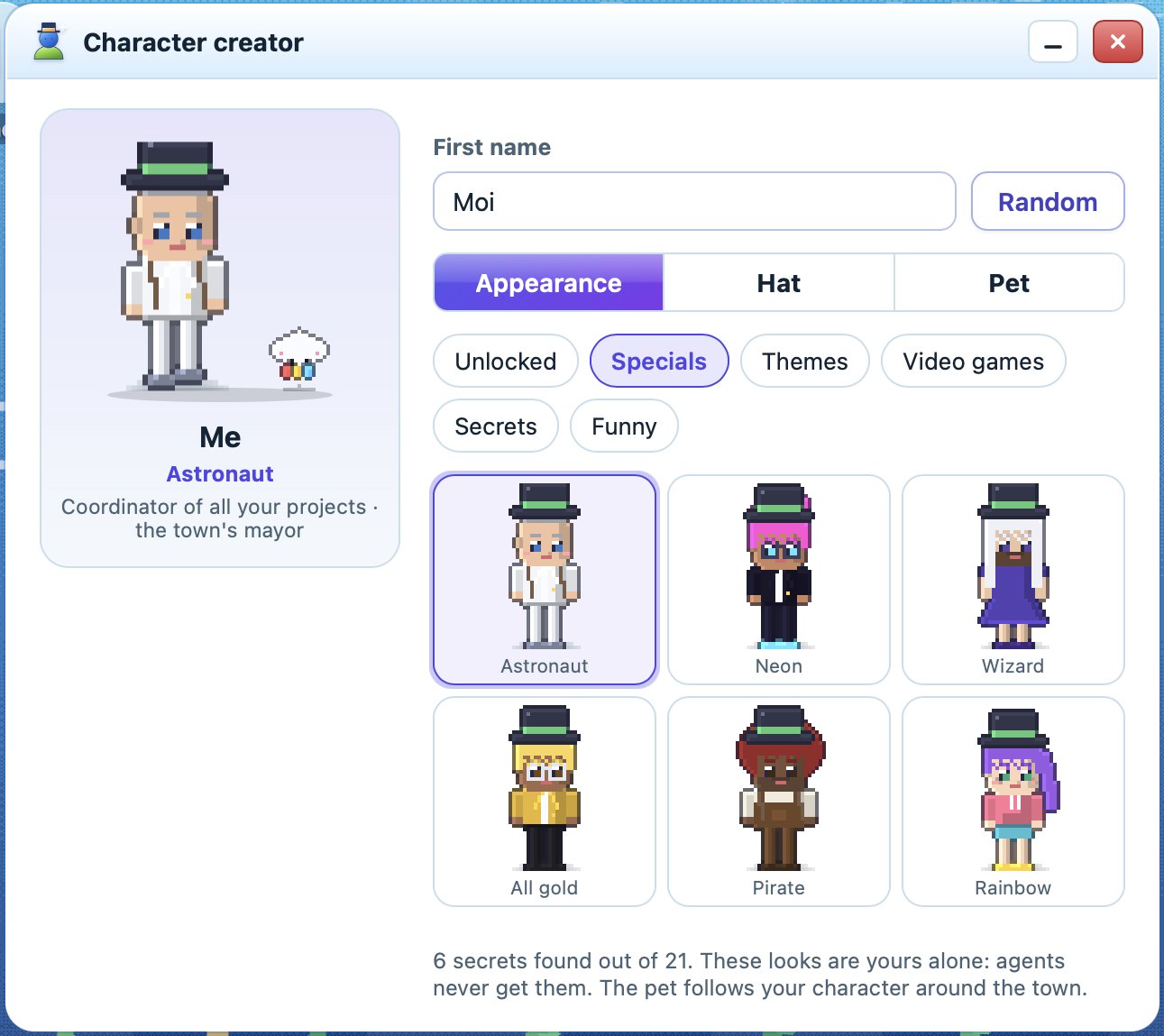
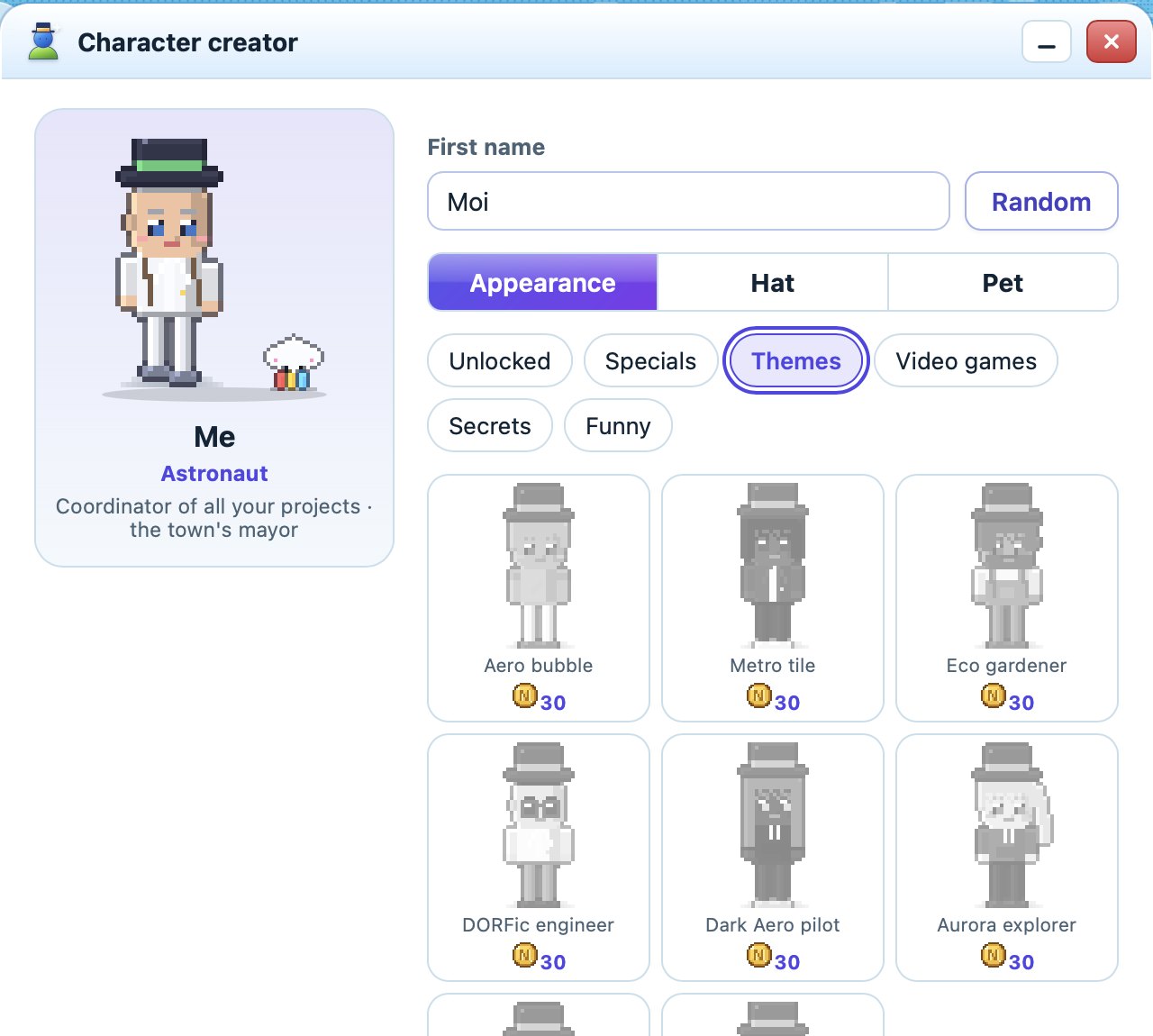
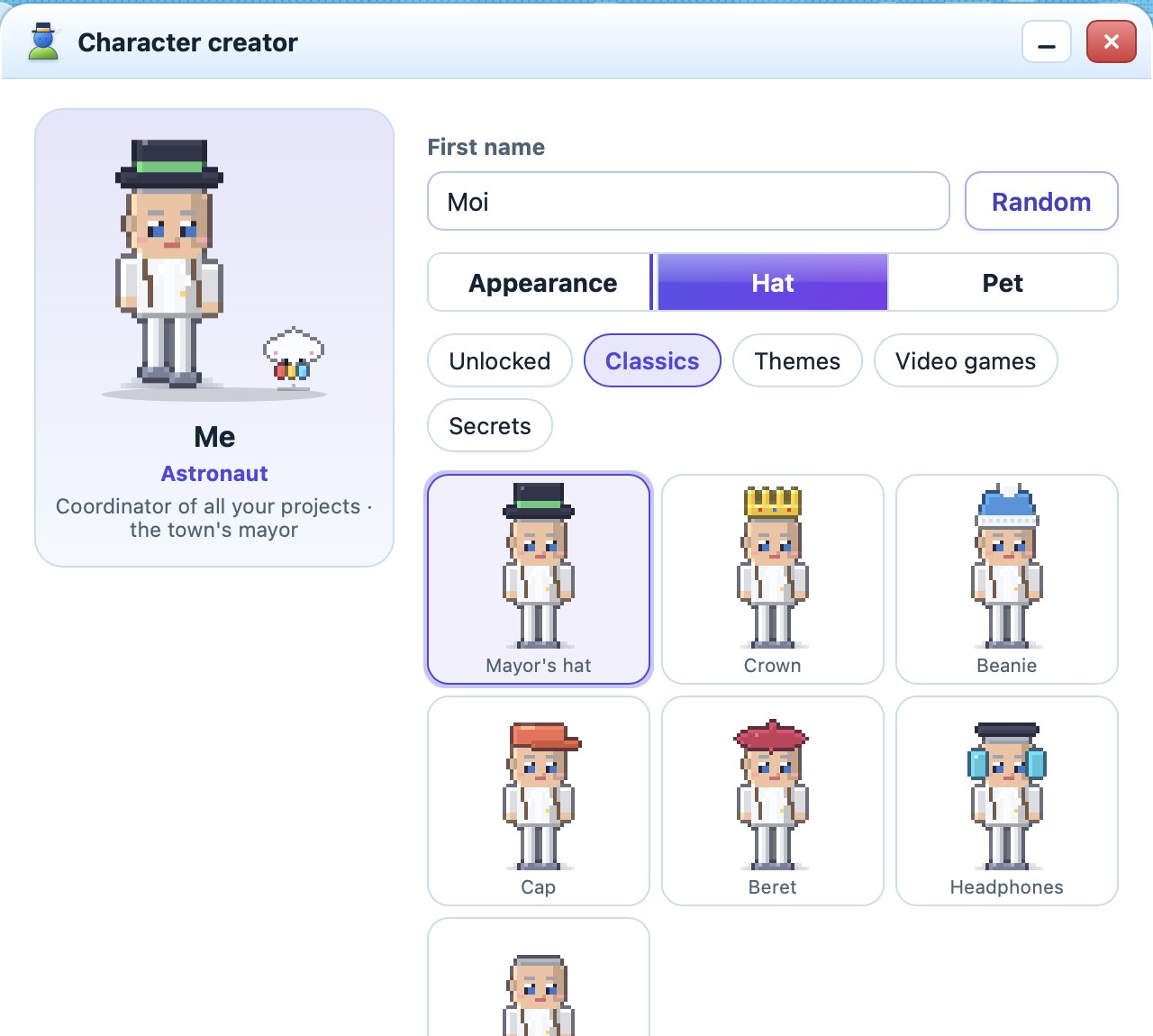
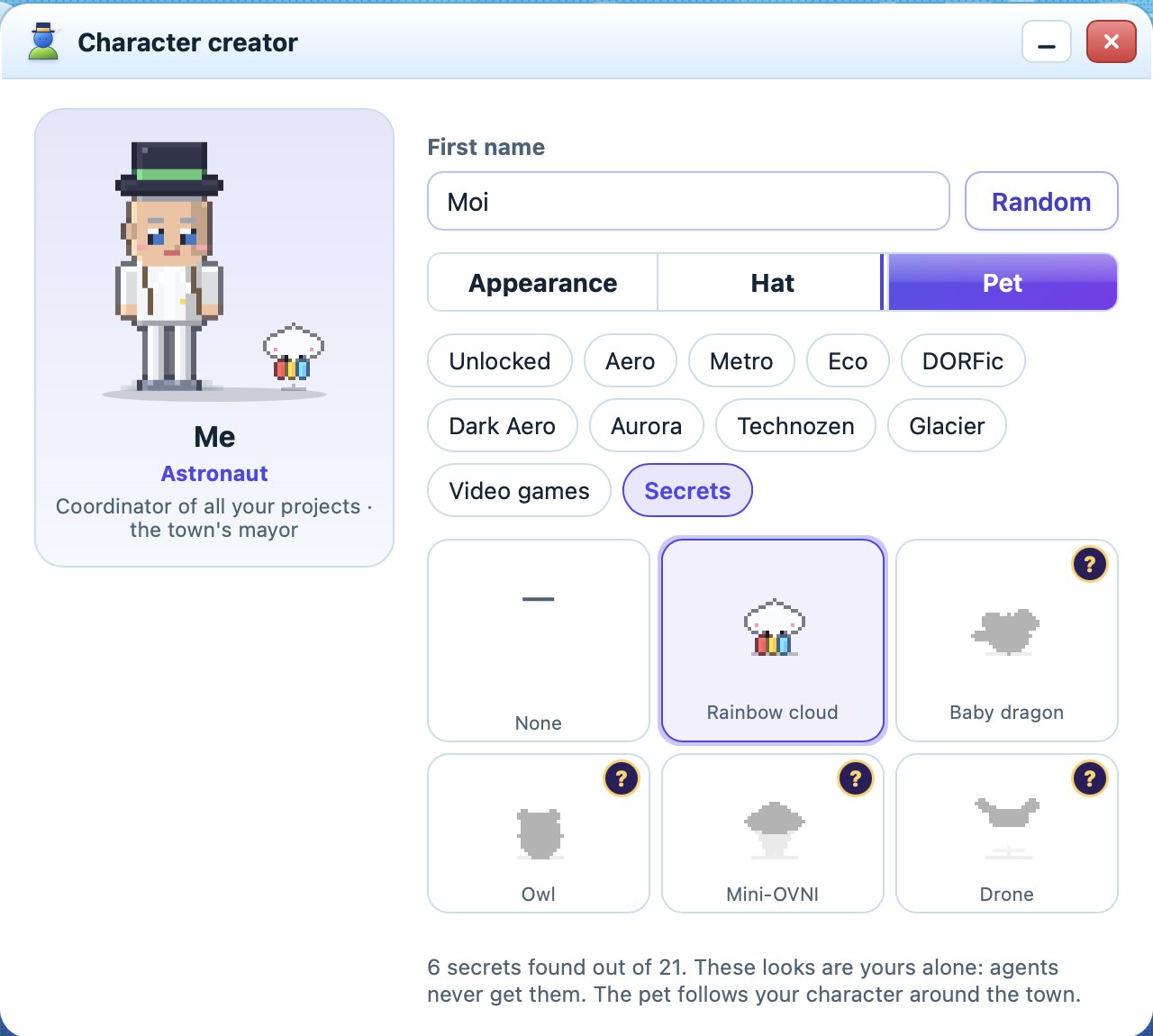
Character creator

Your character

Pick your look, a hat and a pet that follows you around the town. These looks are yours alone — agents never receive them.

AlexAstronaut

Make your character

The same looks, hats and pets as in the app. In NOVARA, many more wait to be unlocked with coins and secrets.

Looks to unlock with coins
Hats
Hats for every style
Pets, some of them secret
Pets — some hidden behind secrets

Themes made by AI

Describe any universe — a game, a film, a dream — and the AI of your choice builds a custom theme: colours, icons, buildings that fit, and characters that walk around your town. NOVARA draws the town and wallpapers on your computer. Tune sprite speed and size live, export your theme and share it.

Appearance: themes and custom themes

Create, share, download

Your own themes, a shop of community creations and plugins — all inside the app, free.

  1. 1

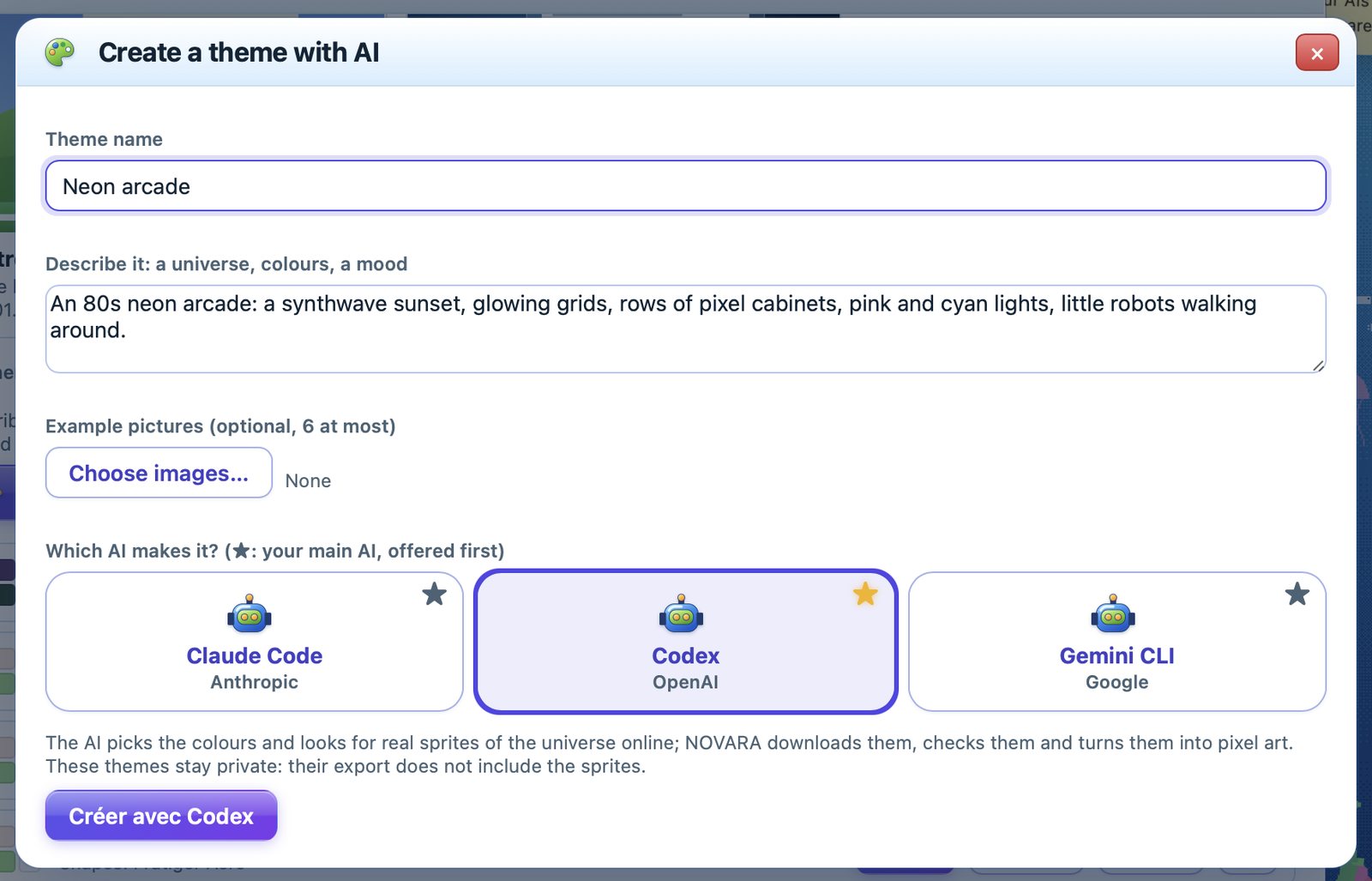
    Create a theme with AI

    Describe a universe, add pictures if you like, and pick the AI that makes it.

    Create a theme with AI
  2. 2

    Make it yours

    NOVARA draws its town and wallpapers. Tune sprite speed and size live, apply it, export it.

    Appearance and your themes
  3. 3

    Share it

    “Share” opens GitHub with your theme ready. Once checked, it appears in everyone's Creations shop.

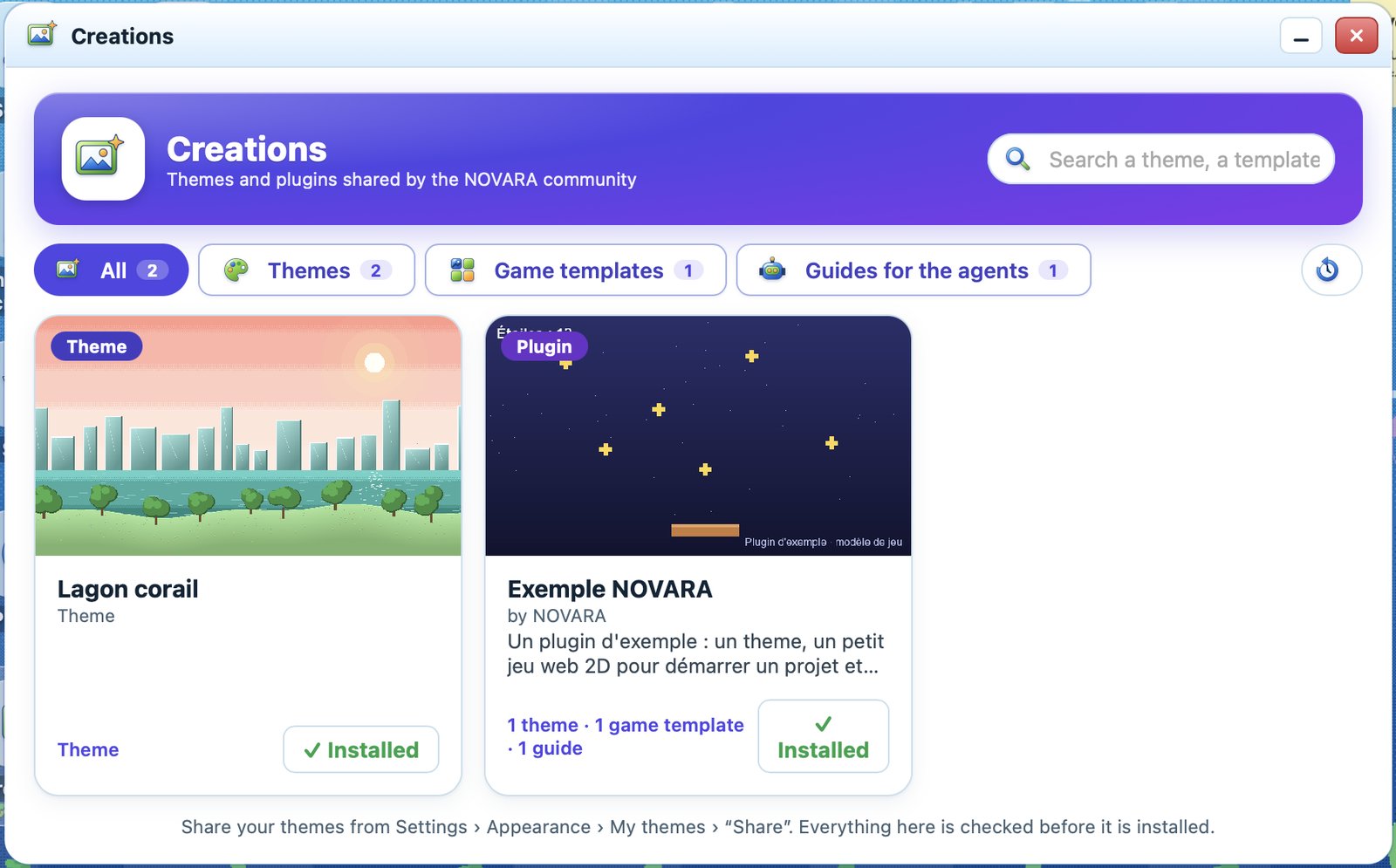
    The Creations shop

The Creations shop

Browse themes, game templates and guides for the agents made by the community, with a picture of each. One click installs them — everything is checked before it is listed and again before it is installed.

Browse the creations →

Creations shop

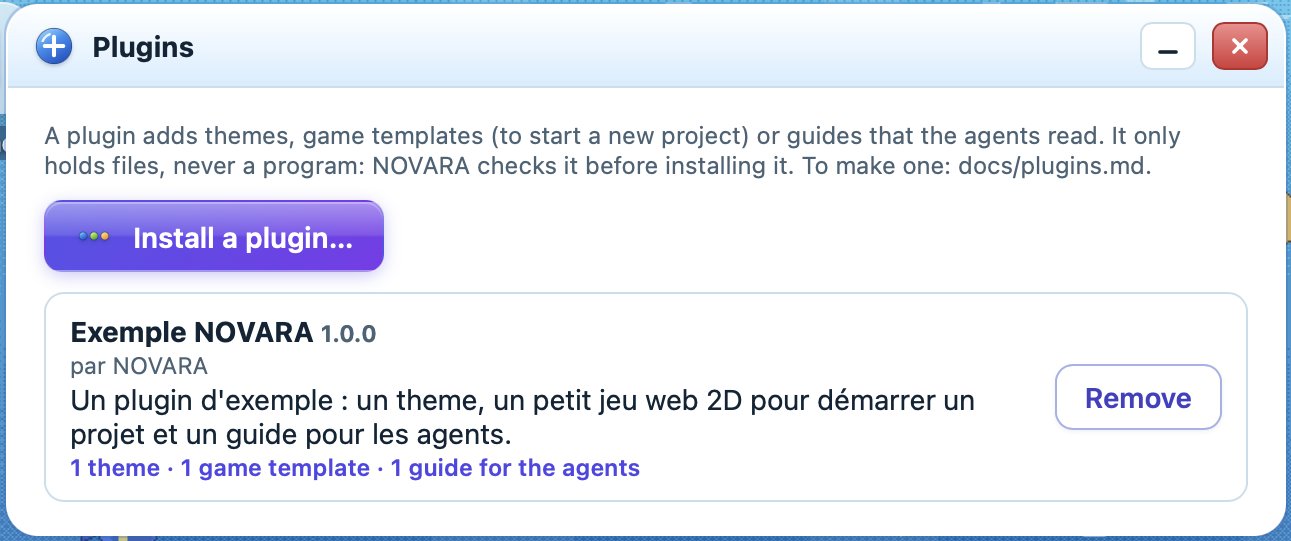
Plugins

A plugin adds themes, game templates to start new projects from, and guides your agents read. Plugins only contain files — never a program — and NOVARA checks them before installing. Making one takes a plugin.json and a folder.

How to make a plugin →

Plugins panel

And also

Signed updates

New versions are offered on the start screen, with what they change. The signature is checked before anything is installed.

English & French

The app follows your computer's language. Switch any time in Settings.

Resume anywhere

NOVARA remembers tasks, decisions and interrupted work. Restart the previous team in one click after a crash.

Four engines

Web 2D (Phaser), Web 3D (three.js), Roblox Studio with Rojo, and Unity — NOVARA starts test runs, reads the engine's output and can film Unity runs for your release kit.

Interface sounds

Glass, wood, crystal: every theme has its own little sounds and ambience. All optional.

Private by design

Your projects stay on your computer. Your voice is recognised locally. Your phone talks to your computer over your own Wi-Fi.

Free forever

No subscription. No account. No paywall.

Many AI game tools cost a monthly fee. NOVARA is free, completely: every feature, every theme, every update. You only use the AI accounts you already have. If NOVARA helps you, you can buy it a coin — it keeps it free for everyone and pays for new engines and more themes.

  • Freeevery month, for everyone
  • 100 %of the features, no “pro” version
  • 0account to create with us

Your files stay yours

NOVARA collects nothing: no account, no analytics, no tracking, and nothing is trained on your files. Your projects stay on your computer; NOVARA itself only goes online to download tools and updates, list the community's creations, or upload assets to your own Roblox account when you ask.

The AI agents you connect (Claude Code, Codex, Gemini via Antigravity) work with your own account: what they read is handled by their provider under its own terms. Check your Claude, ChatGPT or Google settings if you want to turn off training on your conversations.

Get NOVARA

Free forever, no subscription. You need a Mac with macOS 11 or later or a PC with Windows 10 or 11 (64-bit), and at least one AI agent account (a Claude subscription, a ChatGPT account or a Google account).

⬇ Download for macOS ⬇ Download for Windows

On Mac: take NOVARA_<version>_macos.dmg. On Windows: take NOVARA_<version>_windows_x64-setup.exe; if Windows shows “Windows protected your PC”, click More info then Run anyway (the installer is not signed by Microsoft). The first time on Mac, macOS says it cannot check the app (it is not notarised by Apple): open System Settings › Privacy & Security and click Open Anyway.